AI characters act out ChatGPT script: Ever wondered if your favorite AI chatbot could write a dramatic scene, and then other AI tools could bring it to life? Well, wonder no more! The integration of powerful AI tools like Seedance 2.0 (and its newer iterations like Seedance 2.5) with ChatGPT's creative writing prowess is making it easier than ever to create compelling video content where AI characters act out a ChatGPT script. Imagine generating an entire video, from concept to consistent characters with perfect lip-sync, all from a simple conversation. It's not just a dream; it's becoming your new reality. ✨
This guide will walk you through the exciting potential of combining Seedance 2.5 with ChatGPT for AI-driven video production. We'll explore how these tools are evolving to offer seamless workflows, from scriptwriting to generating video with consistent characters, lip-sync, and synchronized audio. You'll discover how to leverage these advancements to create your own unique AI-powered video narratives, making you a capable director in this new era of digital storytelling.
Advertisement
The Vision: ChatGPT + Seedance 2.0 for End-to-End Video 🎬
Picture this: you have a brilliant idea for a short video. Instead of hiring actors, finding locations, and spending hours on editing, you simply tell ChatGPT your vision. It crafts the script, designs the shots, and then, almost magically, Seedance 2.0 (or its advanced sibling, Seedance 2.5) brings it all to life with consistent AI characters and spot-on lip-sync. This isn't science fiction; it's the exciting future being discussed and built right now within the OpenAI community.
The core idea is to merge ChatGPT's incredible reasoning and scriptwriting abilities with Seedance's multimodal power. Seedance 2.0 is already known for handling text, images, video, and audio, and for offering complex motion control, camera work, and character continuity. The missing piece? A brain to orchestrate it all. That's where ChatGPT steps in, transforming a simple prompt into a fully realized video production pipeline. This integration promises to streamline the entire video creation process, making it accessible to everyone, not just seasoned professionals.
Seedance 2.5: Your Multimodal Maestro 🎶
Seedance 2.5 is a game-changer for AI video generation. It's designed to understand and integrate various forms of input – text, images, video, and audio – to create dynamic and engaging visual narratives. Think of it as a conductor for your digital orchestra, capable of directing intricate character movements, subtle camera shifts, and maintaining visual consistency across an entire scene. This is crucial when you're trying to make AI characters act out a ChatGPT script realistically.
The power of Seedance 2.5 lies in its multimodal capabilities. It doesn't just generate video; it orchestrates a performance. This means it can take your character sheets, your location images, and your script, and weave them into a coherent video. The goal is to move beyond simple animations to truly believable digital performances, complete with expressive characters and synchronized audio. This level of control is what makes it possible to translate a written script into a compelling visual story without losing consistency.
- Complex Motion & Camera Control: Seedance 2.5 allows for nuanced character movements and dynamic camera angles, bringing your scenes to life.
- Character Continuity: Crucial for storytelling, it ensures your AI characters look and behave consistently throughout the video.
- Multimodal Input Handling: It seamlessly integrates text, images, video, and audio, acting as a central hub for your creative assets.
ChatGPT's Role: The Brain Behind the Brawn 🧠
While Seedance 2.5 handles the visual heavy lifting, ChatGPT provides the intelligence and creativity. Imagine having an AI co-writer and director rolled into one. ChatGPT can take your initial concept and expand it into a full script, complete with dialogue, character actions, and even shot suggestions. This isn't just about generating text; it's about generating a *plan* for your video.
The OpenAI community is buzzing with ideas on how to integrate ChatGPT directly into the video production workflow. This means you could manage the entire process within a single conversation: scriptwriting, shot design, generation, revision, voice, sound effects, and, yes, even lip-sync. ChatGPT's reasoning and planning capabilities are key to unlocking truly coherent and editable AI-generated video content. It's about giving you, the creator, unprecedented control and efficiency.
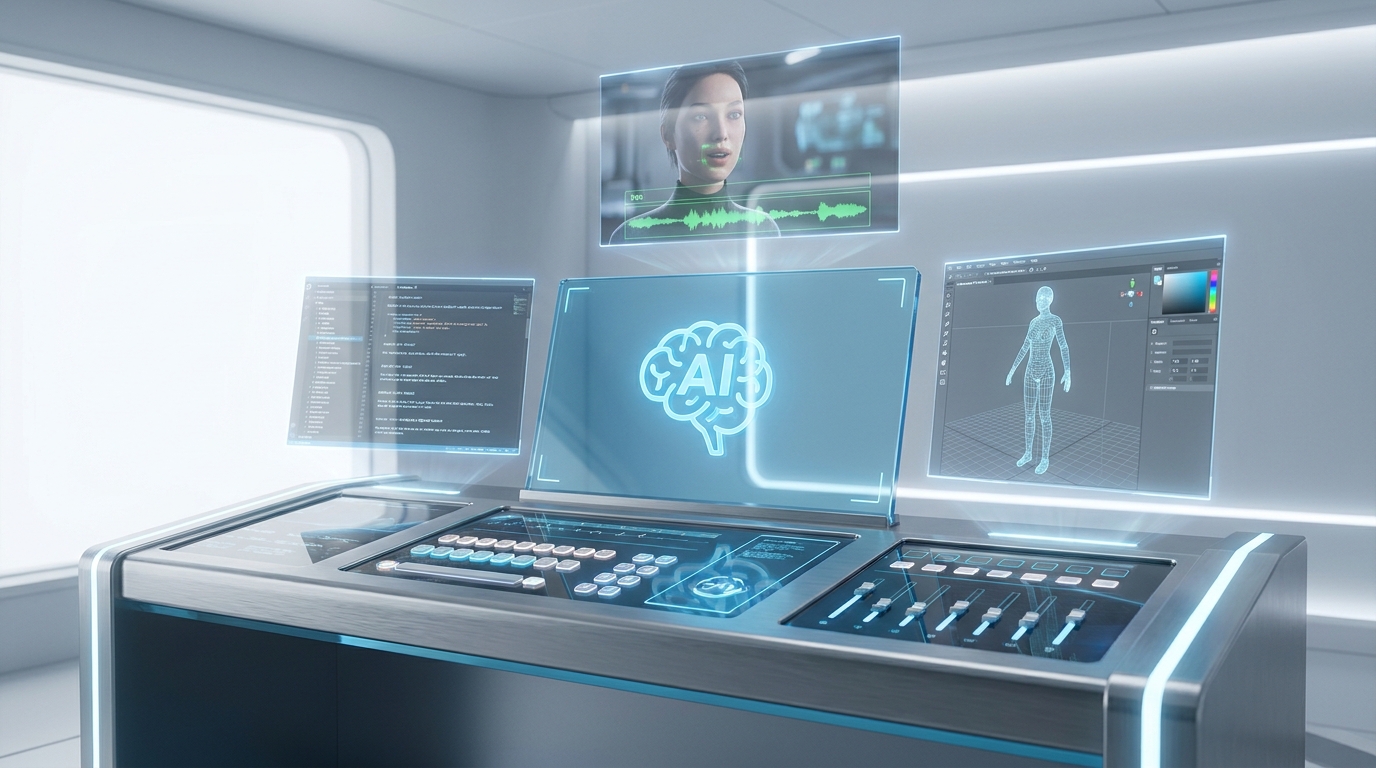
The future of AI-powered video production, where ChatGPT orchestrates the entire creative process.
The Magic of Lip-Sync and Consistent Characters ✨
One of the biggest hurdles in AI video generation has been achieving realistic lip-sync and maintaining consistent character appearance. Nobody wants a character whose mouth movements don't match the audio, or who changes their look between shots! This is where the combined power of Seedance 2.5 and OpenAI's other advancements truly shines.
OpenAI's ongoing developments in voice models, like `gpt-realtime-2`, are crucial for generating natural-sounding dialogue that can be perfectly synced. Coupled with advancements in image generation, such as GPT Image 2.5, which focuses on creating consistent character views, we're seeing a dramatic leap in quality. These technologies work in concert to ensure that when your AI characters act out a ChatGPT script, their words align perfectly with their facial movements, and they look the same from every angle. This level of detail is what transforms a generated video from a novelty into a professional-grade production.
Advertisement
Why This Matters for You, the Creator 🚀
For builders, developers, and everyday creators like you, this convergence of AI technologies is a monumental step forward. The ability to generate high-quality video with consistent AI characters, accurate lip-sync, and integrated scriptwriting from a single, intuitive platform will dramatically slash production time and complexity. Think about the possibilities!
This isn't just about making cool videos; it's about democratizing video production. Content creators can produce engaging narratives faster, game developers can prototype interactive experiences with dynamic AI characters, and small business owners can create professional-grade marketing videos without a massive budget. It opens up entirely new avenues for creativity and efficiency, putting powerful tools directly into your hands. You're no longer limited by traditional production constraints; your imagination is the only limit.
Important Note: Seedance.com and AI Tools ⚠️
It's important to clarify something that might cause confusion. While we're discussing Seedance 2.5's capabilities in AI video generation, the domain seedance.com currently hosts content primarily focused on the United States healthcare consulting services market. As of now, you won't find tutorials or information about AI characters, lip-sync, or ChatGPT scripting on that specific website.
This means that while the *concept* of Seedance 2.5 is a leading-edge AI video tool, the official website for 'Seedance' (seedance.com) is not the source for these AI development resources. Tech4SSD's audience, keenly interested in AI tools and software, should be aware of this distinction to avoid misdirection when seeking out resources for AI character generation, lip-sync technology, or ChatGPT scripting. Always verify the source when exploring new AI tools!

Despite the name, seedance.com currently focuses on healthcare consulting, not AI video tools.
Complete step-by-step walkthrough
Original TECH4SSD tutorial and reference media
Tools
- ChatGPT (writes the script)
- Seedance 2.5 (any website that gives you access to it)
- Nano Banana or any image model (character sheets and the location)
Before you begin
- Character sheets for 3 original characters (2 also works, see step 6). Our Day 7 guide shows how to make them.
- A ChatGPT account
- Any website that gives you access to Seedance 2.5 with audio generation
1. See what you're making
A popular AI trend: a group asks ChatGPT for a short dramatic scene, then acts it out with a completely straight face. Our twist: three AI characters acted it instead. They are the crew from Day 7: THE TALL HEAD, THE GINGER and THE BOB. They are AI-generated, not real people. ChatGPT wrote the four lines. The staging around them (who sits where, the zooms and the plate going off the table) is ours, written into the Seedance prompt in step 6. The finished scene is 15 seconds in a retro diner: four lines, telenovela snap zooms, and a plate of spaghetti that does not survive the ending. The prompts, upload order and settings below are exactly what we used.
Tip: Day 8 of 100 Days Exploring AI. The crew's faces come from our Day 7 guide, linked below.
How the crew was made (Day 7 guide)
2. Ask ChatGPT for the scene
Open ChatGPT and paste the prompt below. The rules matter: 4 lines maximum, very short, very serious and slightly absurd. Short lines are what make the deadpan delivery funny, and they fit into one 15-second clip. The NAME: line format makes it easy to tell the video model who says what. Have only 2 characters? Change "three people" to "two people".
Exact prompt
Write a 15-second dramatic scene for three people at a diner.
Maximum 4 lines of dialogue.
Each line must be very short, very serious and slightly absurd.
Format it like this:  NAME: line
Tip: You can ask for changes, like we do in the next step. But use ChatGPT's final lines word for word. Don't rewrite them and then say ChatGPT wrote them.
3. Make it about your characters
ChatGPT's first answer was a different scene. We wanted a breakup that used our crew's names, so we sent the follow-up in the box below. Swap GINGER, TALL HEAD and BOB for your own characters' names. Here is the script ChatGPT wrote back, word for word: GINGER: I'm leaving you both. TALL HEAD: Who gets the spaghetti? BOB: It needs a stable home. GINGER: Then none of us. In the video prompt (step 6), these three become THE GINGER, THE TALL HEAD and THE BOB. Both prompts are real. We recorded the ChatGPT screen while sending them.
Exact prompt
Make it a breakup between them, over spaghetti. Same rules: maximum 4 lines, very short, very serious and slightly absurd. Use these three names: GINGER, TALL HEAD, BOB. Format: NAME: lineTip: Before you go on, pick a voice for each character, like "very deep, very slow". Our Seedance prompt gives each one a short voice line.
4. Get your character sheets and a location
You need one character sheet per character: front, side and back views plus face close-ups on a plain background. This is what keeps each face consistent from shot to shot. Our Day 7 guide has the exact sheet prompt. Then make one location image with any image model. We used a retro diner at night: a red booth by a rainy window with pink and teal neon, and a table with an empty plate on it.
Warning: Only use original characters. Never use a real person's face.
- One character sheet per character
- Each sheet shows the face clearly from the front, side and back
- One location image
Character sheet prompt (Day 7 guide)
5. Upload in the right order
Open any website that gives you access to Seedance 2.5 and use the mode that takes reference images. You don't need a reference video: the whole scene comes from the prompt. Upload in this order so the tags in the prompt match: @image1 = THE TALL HEAD's sheet (your first character) @image2 = THE GINGER's sheet (your second character) @image3 = THE BOB's sheet (your third character) @image4 = the location Tip: if the site makes you pick tags from an @ menu, type @ in the prompt box and choose each upload from the menu.
- Sheets uploaded as @image1, @image2, @image3
- Location uploaded as @image4
6. Set audio on and paste the prompt
Set the duration to 15 seconds and the aspect ratio to 9:16. Turn audio generation ON (some sites call it Create audio). Tip: if the site has a prompt enhancer, turn it off so it doesn't rewrite your prompt. Then paste the full prompt below. Using your own characters? Edit the prompt before you paste it: 1. INPUTS: write your character names next to @image1, @image2 and @image3. 2. CHARACTERS: rewrite each block to match your sheet (skin, hair, outfit). Keep one Voice line for each. Delete the paragraph that starts "All three have the same surreal, uncanny look" unless your characters share that look. 3. THE SCENE: keep one time block per line. In each block, change who speaks, what they do and the line in quotes. Use ChatGPT's lines word for word. 4. DIALOGUE RULES: change who says which line. 5. SOUND and CAMERA AND LOOK: swap the diner details (rain, fridge hum, neon, mustaches) for your own. Only 2 characters? Delete the third character block, upload your location as @image3 and change every @image4 to @image3.
Exact prompt
SETTINGS:
Duration 15s · Aspect ratio 9:16 · Create audio ON · Highest quality

INPUTS:
@image1 = THE TALL HEAD (1-tallhead-sheet.jpg)
@image2 = THE GINGER (2-ginger-sheet.jpg)
@image3 = THE BOB (3-bob-sheet.jpg)
@image4 = LOCATION: retro diner at night (4-location-diner.jpg)

GLOBAL RULE:
Treat every reference as a fixed identity token.
Keep each character's face, hair, mustache and outfit identical in every frame, from the first frame to the last.
The location is @image4: same booth, same window, same table.


CHARACTERS:

THE TALL HEAD (@image1):
Deep dark brown skin, very tall cone-shaped black afro rising high above the head,
long narrow face, thin black handlebar mustache, small calm eyes,
olive-green houndstooth three-piece suit, white shirt, black-and-lime-green striped tie.
The tall hair never shrinks, flattens or changes shape.
Voice: very deep, very slow, completely calm.

THE GINGER (@image2):
Pale freckled skin, bright ginger helmet bowl-cut with blunt bangs,
big curled ginger handlebar mustache, long narrow face,
mustard-yellow tweed suit, white shirt, blue polka-dot bow tie.
Voice: thin and slightly nasal, quietly heartbroken.

THE BOB (@image3):
Pale freckled skin, glossy jet-black helmet bob with blunt bangs, thin drawn-on eyebrows,
long neck, burgundy plaid suit with a big white pointed collar, pearl earrings.
Voice: flat, quiet, monotone.

All three have the same surreal, uncanny look as their sheets: unnaturally tall elongated heads,
long narrow faces, completely deadpan expressions, yet fully photorealistic.
Nobody smiles. Nobody laughs. They play it like the most serious drama in the world.


THE SCENE (follow this order and timing exactly):
Seating: THE GINGER sits alone on the window side of the booth.
THE TALL HEAD and THE BOB sit side by side on the bench across from him.
One full plate of spaghetti sits in the middle of the table between them.

0–4s
Close-up: THE GINGER, perfectly still, staring at the plate of spaghetti.
Slow dramatic zoom-in on his face. He looks up into the lens and says, slowly:
"I'm leaving you both."

4–7s
Quick cut: THE TALL HEAD does not react at all. Dramatic snap zoom onto his face.
He looks down at the spaghetti and says, very slowly:
"Who gets the spaghetti?"

7–10s
Quick cut: THE BOB slowly pulls the plate toward herself with both hands.
Dramatic snap zoom. She says, flat:
"It needs a stable home."

10–15s
Wide shot of all three. THE GINGER slowly takes the plate back,
holds eye contact, and says, very slowly:
"Then none of us."
He slides the plate off the edge of the table. It falls out of frame with a loud crash.
Nobody blinks. All three stare straight into the lens in silence.
Hold the final frame.


DIALOGUE RULES:
Only these four lines, spoken in English, exactly as written.
THE GINGER says lines 1 and 4. THE TALL HEAD says line 2. THE BOB says line 3.
Each line is spoken ONLY by the character named, with perfect lip-sync.
Long dramatic pauses between lines. No other speech, no laughing, no narration.

SOUND:
Quiet diner ambience, rain on the window, a soft fridge hum,
and a cheesy dramatic soap-opera music sting on each snap zoom, and the plate crash at the end.

CAMERA AND LOOK:
Real iPhone footage, photorealistic, not CGI, not animation.
Telenovela-style dramatic snap zooms on each line.
Warm tungsten light with pink and teal neon from the window, natural skin texture with pores and freckles.
Do NOT add text, subtitles, logos or watermarks.
Do NOT swap faces between characters. Do NOT change hair, mustaches or outfits.

PRIORITY:
1. Each character matches their sheet exactly.
2. The right character says the right line, with lip-sync.
3. Deadpan acting and dramatic zooms.
4. The diner from @image4.
Tip: Keep each spoken line in quotes and name who says it, so the model can tell the dialogue apart from the directions.
7. Generate a few takes and keep the best one
Generate 2 or 3 versions, and clear the prompt box before you paste. Our first three takes spoke an older set of lines that we wrote ourselves before asking ChatGPT, because that old prompt was still in the box. ChatGPT did not write those lines. Take 4 speaks ChatGPT's real lines, and it is the main scene in the reel. The reel also uses a few muted shots from the earlier takes, labeled as outtakes, and ends on a short bonus outtake from take 1 ("It was very good spaghetti."). That line is ours, not ChatGPT's. If the four lines don't fit or the voices get mixed up, make two 8-second clips. For the first, keep only the first two time blocks (lines 1 and 2). For the second, keep only the last two (lines 3 and 4, with the plate crash). In each prompt, set the duration to 8 seconds and list only those lines in DIALOGUE RULES. Then join the clips in your editor.
- The right character says each line, with lip-sync
- Hair, mustaches and outfits stay the same in every shot
- Nobody smiles
- The plate crash comes right after the last line
8. Label it AI, then post
Before you post, turn on the AI label on every platform: Instagram (AI label), TikTok (AI-generated content), YouTube (altered or synthetic content) and X (Made with AI). On LinkedIn, say it in the post text. Say in the caption that the characters are AI-generated and not real people.
- AI label turned on
- Caption says the characters are AI-generated
- Only original characters, never a real person's face
💡 Pro Tip: When crafting your ChatGPT script for AI characters, keep dialogue concise and action descriptions clear. This makes it easier for the AI video model to interpret and generate accurate scenes and lip-sync.
Key Takeaways
- Integrating ChatGPT with Seedance 2.5 enables end-to-end AI video production, from script to screen.
- Seedance 2.5 offers multimodal capabilities, complex motion control, and crucial character continuity for realistic AI performances.
- ChatGPT provides the reasoning and scriptwriting power, streamlining the entire video creation workflow within a single conversation.
- Advanced lip-sync and consistent AI character generation are becoming a reality thanks to combined OpenAI developments.
- This technology significantly reduces video production time and complexity, opening new creative avenues for all creators.
Related on Tech4SSD 🔗
- Recreating the AI Gas Station Trend with Seedance 2.5 (No Car Needed) (2026)
- How to Replace a Video Character Completely with Seedance 2.5 (2026)
- Create Full AI Videos From One Prompt With HeyGen Video Agent (2026)
📩 Want the freshest AI trends every week?
Subscribe to Tech4SSD — practical AI tools and trends, explained for everyone. Free. Subscribe →
Advertisement
Frequently Asked Questions
Can I really create a full video with consistent AI characters and lip-sync using just a text prompt?
Yes, that's the exciting direction these integrated AI tools are heading! While still evolving, the goal is to allow you to manage the entire video creation process, from script to final render, within a single AI conversation or prompt. You'll provide character descriptions, location details, and a script, and the AI will handle the rest, including lip-sync and character consistency.
What kind of content can I create with AI characters acting out a ChatGPT script?
The possibilities are vast! You could create short films, animated explainers, marketing videos, game cinematics, interactive narratives, or even personalized greetings. Any scenario where you need characters to deliver dialogue can be brought to life, making it perfect for creators, students, and small business owners looking for efficient video production.
Do I need advanced technical skills to use these tools?
Not at all! The beauty of this integration is its user-friendliness. The aim is to make complex video production accessible through natural language prompts. While some understanding of prompt engineering helps, the tools are designed to be intuitive, allowing everyday creators to produce high-quality content without needing to be a video editing expert.
Is 'Seedance 2.5' a real product I can use today?
While the *concept* of Seedance 2.5 represents advanced AI video generation capabilities, it's important to note that the domain seedance.com currently focuses on healthcare consulting and does not offer AI video tools. The discussions about Seedance 2.0 and its potential integration with ChatGPT are happening within the OpenAI developer community, indicating a future direction for AI video. Always check official sources for tool availability and specific versions.
Final Word
The convergence of ChatGPT's intelligence with Seedance 2.5's visual prowess is truly revolutionary for video production. You're no longer just a spectator; you're an active participant in shaping the future of digital storytelling. The barriers to entry for high-quality video creation are crumbling, replaced by intuitive, powerful AI tools that put professional-grade capabilities right at your fingertips.
So, get ready to unleash your creativity! Whether you're scripting a dramatic breakup or an epic adventure, the ability to make AI characters act out a ChatGPT script is here, and it's only going to get better. Your next viral video, compelling narrative, or innovative game concept is just a prompt away. Go make something amazing! 🌟
Sources & Further Reading
- Sora 2: Prompting Guide
- ChatGPT Creative Studio Proposal — Integrate Seedance 2.0, Runway & Multi-Model Video Production Directly Into ChatGPT - ChatGPT / Feature requests - OpenAI Developer Community
- Expand GPT into an Integrated Video Creation and Understanding Platform - ChatGPT / Feature requests - OpenAI Developer Community
- Higgsfield takes AI video from 1 minute to over 10 | OpenAI
- AI Game Studio Dev Log (by Platypus) - Community - OpenAI Developer Community
- 适用于 ChatGPT 的 AI 视频生成器插件 | OpenAI
- Prompting Realtime models
- Feature Request: Multi-character dialogue video generation from a single image - ChatGPT - OpenAI Developer Community
- ScriptWriting with ChatGPT: How to Create High-Quality YouTube & Reel Scripts Effortlessly - Video | OpenAI Academy
- AI in Game Development: Gamedev Tips, Tools, Techniques, and GPT / LLM Agent Integration - Community - OpenAI Developer Community
- Forecasting the United States Healthcare Consulting Services Market
AI tools and features change fast — verify current options before relying on them. — Tech4SSD Editorial


Discussion
Have a question or something to add?
Join the discussion on Blogger