Microsoft Edge DevTools: Ever wondered how AI can actually *do* things on the web, not just talk about them? Well, get ready, because Microsoft Edge DevTools are stepping up big time, making it easier than ever for AI agents to interact with and even control your browser. This isn't just about making things look pretty; it's about enabling AI to perform complex web tasks, bridging a critical gap in how we build and experience the internet. 🚀
In this article, we're going to demystify the latest advancements in Edge DevTools, focusing on how you can build web components and entire sites that are truly 'agent-ready.' We'll dive into the cool new features, explain what they mean for your projects, and show you how to leverage them for more powerful, automated web experiences. You'll walk away feeling capable and excited about the future of web development with AI!
Advertisement
The AI Agent Revolution in Your Browser 🤖
Imagine an AI that can not only understand a webpage but also *interact* with it, filling out forms, clicking buttons, and navigating complex workflows just like a human. That's the promise of AI agent browser automation, and Microsoft Edge is making huge strides to turn that promise into reality. No more static analysis; we're talking about active engagement.
At the heart of this revolution is the idea of enabling AI coding agents, like Copilot, to control and inspect live Chromium-based browsers. This means your AI tools can now go beyond just suggesting code; they can actually test, debug, and even operate your web applications directly within Edge. It's a game-changer for developers and anyone looking to automate repetitive web tasks.
WebMCP: The AI Agent's Secret Language 💬
So, how do AI agents 'talk' to your browser? Enter WebMCP, or the Model-Context-Protocol. Think of it as a universal translator that allows AI models to understand and interact with the browser's environment. The Chrome DevTools for agents (chrome-devtools-mcp) acts as a server for this protocol, making it possible for AI assistants to control and inspect live Chromium-based browsers, including Microsoft Edge and WebView2.
WebMCP isn't just for Microsoft's tools. It's designed to allow *any* website to register tools for in-browser agents to complete tasks on behalf of a user. Microsoft has been steadily rolling out mentions and support for WebMCP in Edge release notes, specifically in versions 150, 151, and 152, signaling its growing importance in the web development landscape. This means you can start thinking about how your own sites can offer 'tools' for AI to use!
Browser Automation Tool: Your AI's New Co-Pilot ✈️
Microsoft's new Browser Automation Tool, currently in Public Preview within Toolboxes, is a direct result of the WebMCP advancements. This powerful tool works hand-in-hand with hosted agents in the Foundry Agent Service and is powered by Playwright workspaces. If you're familiar with Playwright, you know it's a robust framework for end-to-end testing and automation across browsers. Now, imagine that power directly integrated with AI agents!
This integration means AI can leverage Playwright's capabilities for reliable, cross-browser automation. Whether it's testing a complex user flow or scraping data, the Browser Automation Tool provides a solid foundation for AI agents to execute tasks with precision and consistency. It's like giving your AI a highly skilled, automated pair of hands to navigate the web.
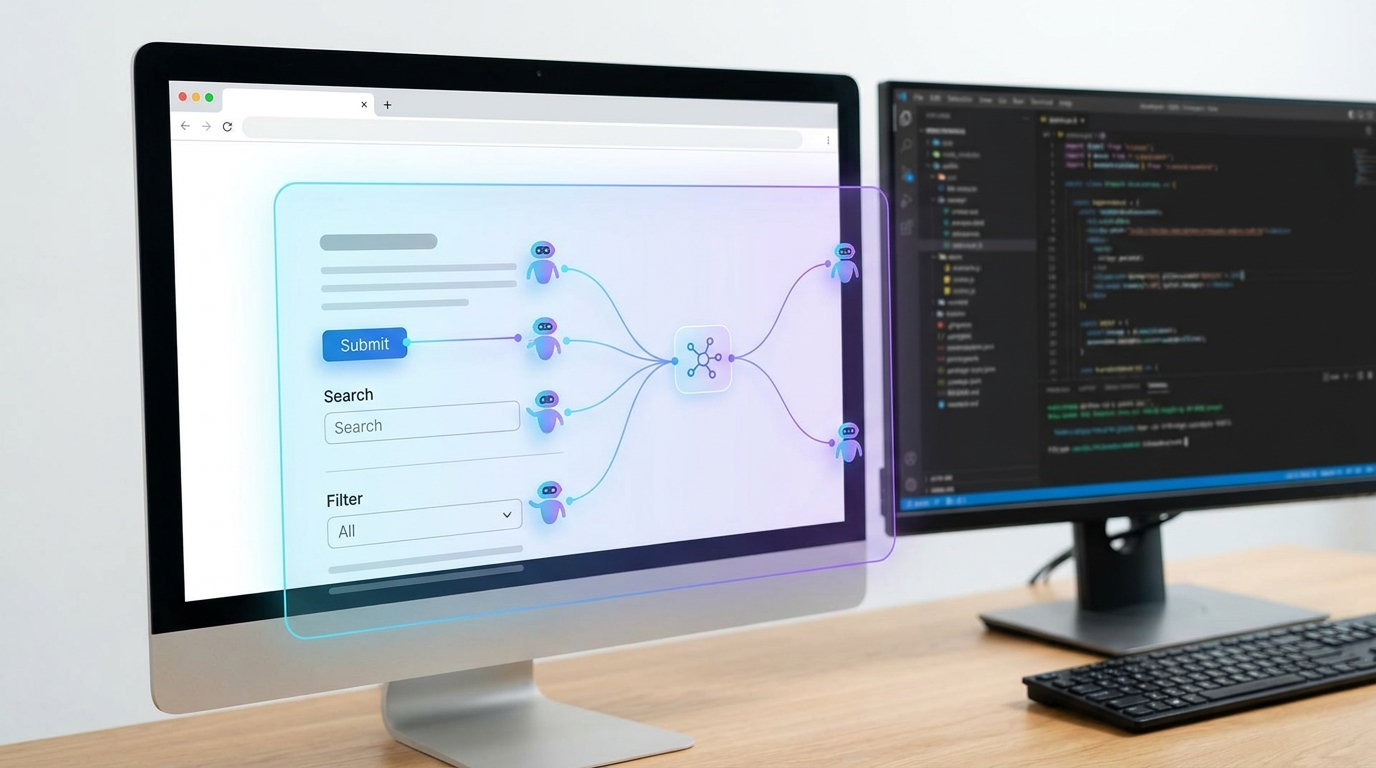
AI agents can now 'see' and 'click' on your web components, thanks to new DevTools.
Enhancing AI Interaction: Live View & Take Control 🎮
To make AI-driven browser automation even more reliable and user-friendly, Microsoft is introducing some fantastic new features. These aren't just bells and whistles; they address real-world challenges in AI interaction.
First up is 🟦 Live View (Public Preview). This feature helps AI agents detect issues in real-time, providing immediate feedback on what might be going wrong during an automated task. Think of it as a diagnostic tool for your AI. Then there's 🟥 Take Control (Public Preview), which allows human intervention in edge cases. If an AI agent gets stuck or encounters an unexpected scenario, you can step in, guide it, and help it learn. It's a perfect blend of automation and human oversight. Plus, there's even Private Preview support for browsing private websites, ensuring your AI can work securely in sensitive environments.
Advertisement
The Challenge of Web Components and Shadow DOM 🚧
While these advancements are exciting, there are still hurdles to overcome, especially when dealing with modern web development practices like Web Components and Shadow DOM. Chromium documentation highlights that testing System Web Apps (SWAs) and Progressive Web Apps (PWAs) that use these extensively can be tricky. Why? Because the internal DOM structures can change frequently, making traditional selectors brittle and unreliable for automation.
Standard selectors can't easily 'pierce' the Shadow DOM boundary. This means AI agents need specialized handling to inspect and interact with elements hidden within a Shadow Root. For you, the builder, this means being mindful of how you structure your components and considering strategies for making them more 'AI-friendly.' It's a call to action for more robust component design and testing strategies.
- Brittle Selectors: Internal DOM structures of Web Components and Shadow DOM can change often, breaking automated tests and AI interactions.
- Shadow DOM Boundary: Standard selectors cannot directly access elements inside a Shadow DOM, requiring specific traversal methods.
A Call for a Versioned UI State API 📣
One critical piece of the puzzle for truly robust AI agents is a reliable way for them to understand the current state of a webpage. A feature request has emerged, highlighting the need for Edge to expose a versioned, permissioned browser-side API for live UI state to AI agents. Currently, agents can fail because they rely on stale data, leading to misinterpretations and errors.
Imagine your AI trying to click a button that's no longer there or trying to fill a form field that has changed its ID. A live UI state API would provide AI agents with accurate, up-to-the-minute information about the page, making their interactions much more reliable and efficient. This is a crucial step towards building truly autonomous and capable AI agents on the web.
Prompt API: Bringing SLMs to Your JavaScript 💡
Beyond just controlling the browser, Microsoft Edge is also integrating AI directly into the web platform itself. The Prompt API, releasing in Edge 148, allows websites and browser extensions to prompt a small language model (SLM) built right into Microsoft Edge from JavaScript code. This is huge! It means you can embed AI capabilities directly into your web applications without needing to call external APIs or services.
Think about the possibilities: instant content generation, smart form suggestions, or even personalized user experiences powered by an on-device SLM. This brings AI closer to the user and the browser, enabling faster, more private, and more integrated AI experiences. It's another powerful tool in your arsenal for creating truly intelligent web applications.

The Prompt API lets you tap into AI directly from your JavaScript, right in Edge.
💡 Pro Tip: When designing Web Components for AI agent interaction, consider exposing clear, stable APIs and custom events that agents can reliably hook into, rather than relying solely on internal DOM structure.
Key Takeaways
- Microsoft Edge DevTools, through WebMCP, now enables AI agents to control and inspect Chromium-based browsers for complex web tasks.
- The new Browser Automation Tool in Toolboxes, powered by Playwright, offers robust automation capabilities for AI.
- Features like Live View and Take Control enhance AI reliability and allow for human intervention in automated workflows.
- Web Components and Shadow DOM present challenges for AI agents due to brittle selectors; careful design is key.
- The proposed UI State API and the new Prompt API (for in-browser SLMs) are set to further empower AI-driven web experiences.
Related on Tech4SSD 🔗
- Custom AI Tools for Creative Workflows: Lessons from Google Flow (2026)
- Integrating Autonomous AI Agents into Software Engineering (2026)
📩 Want the freshest AI trends every week?
Subscribe to Tech4SSD — practical AI tools and trends, explained for everyone. Free. Subscribe →
Advertisement
Frequently Asked Questions
What is WebMCP and why is it important for AI agents?
WebMCP (Model-Context-Protocol) is like a communication bridge that allows AI models to understand and control Chromium-based browsers, including Edge. It's crucial because it enables AI agents to actively interact with web pages, not just observe them, opening up possibilities for advanced automation and testing.
How does the new Browser Automation Tool help developers?
The Browser Automation Tool, in Public Preview, integrates with AI agents and uses Playwright workspaces. This means developers can leverage AI to perform robust, automated tasks across browsers, from testing complex user flows to data extraction, making development workflows more efficient and reliable.
Are there any challenges with AI agents interacting with Web Components?
Yes, Web Components and Shadow DOM can pose challenges. Their internal structures can change frequently, making traditional selectors unreliable for AI agents. Developers need to design components with stable APIs and consider specialized methods for AI to interact effectively with elements inside a Shadow DOM.
What is the Prompt API and how can I use it?
The Prompt API, releasing in Edge 148, allows you to embed a small language model (SLM) directly into your web applications using JavaScript. This means you can add AI capabilities like content generation or smart suggestions directly within your site or extension, without needing external AI services.
Final Word
The future of web development is increasingly intertwined with AI, and Microsoft Edge DevTools are at the forefront of this evolution. By providing tools like WebMCP, the Browser Automation Tool, and the Prompt API, Microsoft is empowering you, the creator and developer, to build more intelligent, autonomous, and responsive web experiences. You're not just building websites anymore; you're crafting platforms for AI to thrive.
Embrace these new capabilities, experiment with agent-ready designs, and get ready to unlock a whole new level of web interaction. The journey to a more intelligent web is just beginning, and you're perfectly positioned to shape it. Go build something amazing! ✨
Sources & Further Reading
- https://learn.microsoft.com/en-us/microsoft-edge/web-platform/devtools-mcp-server?tabs=windows
- https://learn.microsoft.com/en-us/microsoft-edge/web-platform/release-notes/152
- https://learn.microsoft.com/en-us/microsoft-edge/web-platform/release-notes/151
- https://learn.microsoft.com/en-us/microsoft-edge/web-platform/release-notes/146
- https://learn.microsoft.com/en-us/microsoft-edge/web-platform/release-notes/150
- What's new in DevTools (Microsoft Edge 140) - Microsoft Edge Developer documentation | Microsoft Learn
- Introducing the New Browser Automation Tool with Toolboxes in Foundry | Microsoft Community Hub
- https://learn.microsoft.com/en-us/microsoft-edge/web-platform/release-notes/147
- Feature Request: Expose a Versioned UI State API in Microsoft Edge for AI Agent Integration | Microsoft Community Hub
- https://learn.microsoft.com/en-us/microsoft-edge/web-platform/release-notes/148
- Testing System Web Apps (SWAs)
- Creating Chrome WebUI Interfaces
- Web Apps Testing on CrOS
- Testing Progressive Web Apps (PWAs)
AI tools and features change fast — verify current options before relying on them. — Tech4SSD Editorial
Discussion
Have a question or something to add?
Join the discussion on Blogger