Windows 11 Release Preview Builds: Hey there, fellow creators and tech enthusiasts! 👋 Have you ever wished your computer just *got* you a little more? Well, Microsoft's been listening. The latest Windows 11 Release Preview Builds (specifically 26100.9539 and 26200.9539) are here, and they're packed with updates designed to make your digital life smoother, faster, and way more personal. We're talking about changes that truly enhance how you interact with your PC every single day.
No more sifting through confusing tech jargon! We're breaking down these new features into plain English, showing you exactly what's new, what's improved, and how these updates can boost your productivity and creativity. Get ready to feel more in control of your Windows 11 experience than ever before. Let's dive in! 👇
Advertisement
Your Taskbar, Your Rules 🎨
Remember when your taskbar was just… there? Fixed at the bottom, doing its thing? Not anymore! These new Windows 11 Release Preview Builds are giving you the power to put your taskbar almost anywhere you want. Seriously, this is a game-changer for how you organize your digital workspace.
You can now choose to place your taskbar at the top, bottom, left, or right of your screen. This means you can finally set up your desktop in a way that truly fits your workflow. Plus, there's a new 'smaller taskbar' option. For those of you rocking multiple monitors or just craving more screen real estate, this is a fantastic way to maximize your view without sacrificing quick access to your apps. It's all about making Windows 11 work for *you*.
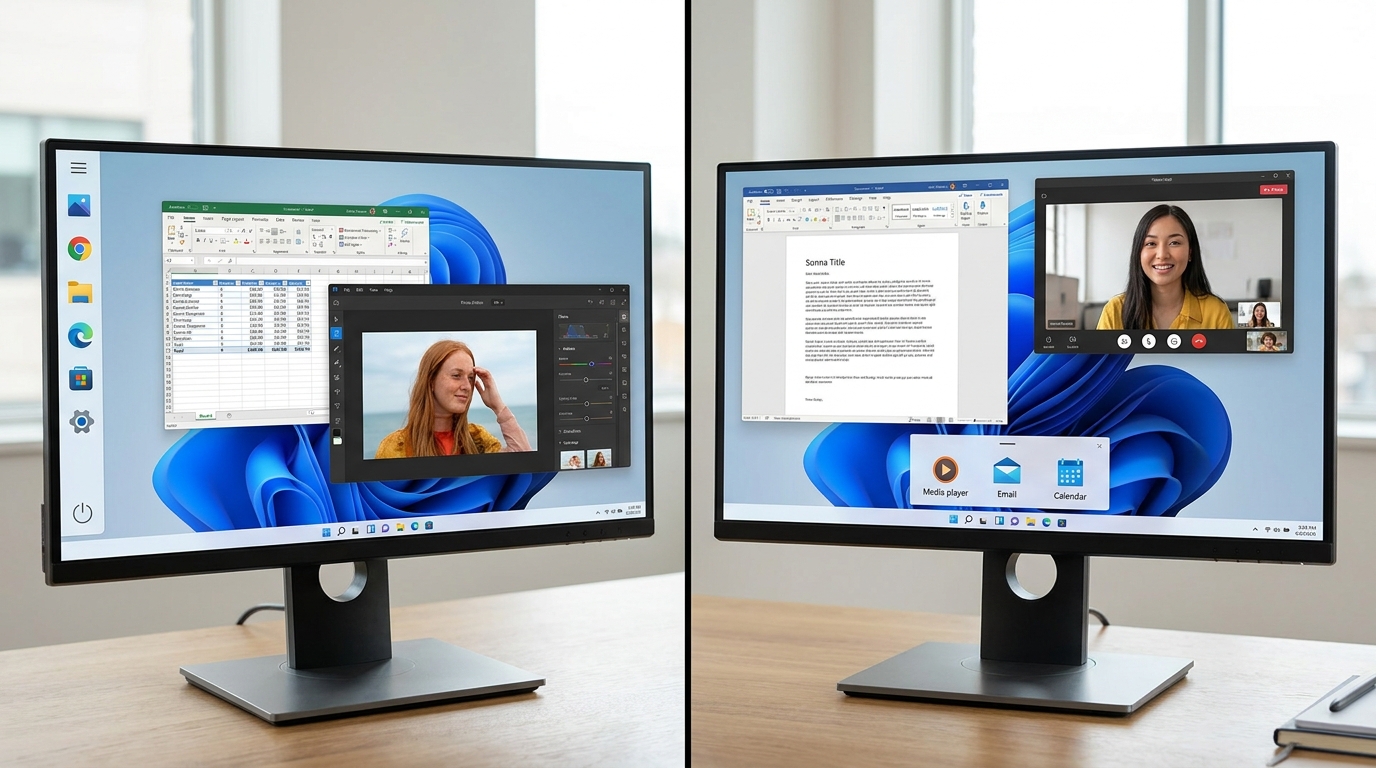
Customize your taskbar placement and size for a truly personalized Windows 11 experience.
A Start Menu That Starts With You ✨
The Start menu is often the first thing you see when you sit down at your computer, so why shouldn't it feel like *yours*? Microsoft has rolled out some neat personalization options that make the Start menu more adaptable and less generic. It's all about giving you more control over what you see and how you see it.
You can now choose between small or large Start menu sizes, letting you decide how much space it takes up. The 'Recommended' section, which shows your recently used files and apps, can now be renamed to 'Recent' – a small but clear change. And for those who prefer a minimalist look or just more privacy, you can even hide your user name and profile picture from the Start menu. It's these little touches that add up to a much more personal computing experience.
Smarter Search, Faster Finds 🔍
Ever felt like Windows Search was a bit… clunky? Good news! These new builds bring significant improvements to Windows Search, making it more reliable and easier to understand. If you're constantly looking for files, apps, or information, this update is going to save you some precious time.
The search home has been simplified, giving you a cleaner, less cluttered interface right from the start. Plus, there's better indication of where your search results are coming from. No more guessing if that file is local or in the cloud! This clarity means you can quickly pinpoint exactly what you're looking for, boosting your efficiency whether you're a student researching a project or a small business owner tracking down an important document.
Performance Boosts You'll Actually Feel 🚀
Who doesn't love a faster computer? These Windows 11 Release Preview Builds aren't just about new features; they're also about making your system run smoother and snappier. Microsoft has focused on core performance enhancements that impact your daily interactions, making everything feel more responsive.
You'll notice accelerated app launch times – that means less waiting and more doing. Core shell experiences like opening the Start menu or the Action Center are also much quicker. Beyond that, there's improved reliability for power settings (so your laptop doesn't unexpectedly go to sleep in the middle of a big task!) and better File Explorer performance. For creators juggling large files or developers compiling code, these speed improvements translate directly into more productive hours. You can learn more about general Windows performance enhancements on Microsoft's official documentation.
Advertisement
Accessibility for Everyone ♿
Microsoft is clearly committed to making Windows 11 a more inclusive platform, and these new builds deliver some fantastic accessibility upgrades. These aren't just niche features; they empower a wider range of users to engage with their computers effectively, which is a win for everyone.
One standout improvement is for Narrator, Windows' built-in screen reader. It now supports reading and navigating math equations within Microsoft 365 apps. This is huge for students and professionals working with complex data. Additionally, Magnifier, the screen enlargement tool, now offers independent zoom levels for multiple displays. This means if you have a multi-monitor setup, you can customize the zoom on each screen separately, tailoring your visual experience precisely to your needs. This level of detail makes a real difference for users who rely on these tools daily.
- Narrator gets smarter: Now reads and navigates math equations in Microsoft 365 apps, making complex documents more accessible. ➕
- Magnifier, multi-display magic: Set independent zoom levels for each of your monitors, giving you granular control over your visual workspace. 🖥️
Behind the Scenes: Stability & Reliability 🛠️
While the flashy new features grab headlines, a lot of crucial work goes into making Windows 11 more stable and reliable. These Release Preview Builds include numerous under-the-hood fixes and improvements that contribute to a smoother, less frustrating user experience. Think of it as patching up the small cracks before they become big problems.
Microsoft has addressed various bugs and glitches that could lead to crashes, freezes, or unexpected behavior. This focus on foundational stability means you're less likely to encounter those annoying interruptions that can derail your creative flow or productivity. For developers and power users, this increased reliability is particularly valuable, as it provides a more dependable environment for demanding tasks and complex workflows. A stable OS is a happy OS!

Under-the-hood fixes ensure a more stable and reliable Windows 11 experience.
💡 Pro Tip: Always back up your important files before updating to any new OS build, even Release Preview versions!
Key Takeaways
- Personalize Your Workspace: New taskbar positioning (top, bottom, left, right) and a smaller taskbar option give you unprecedented control over your screen layout.
- Start Menu, Your Way: Customize the Start menu size, rename sections, and hide your profile picture for a more personal touch.
- Faster & Smarter Search: Enjoy a simplified search home and clearer result sources for quicker access to what you need.
- Boosted Performance: Experience faster app launches, snappier core shell experiences, and improved File Explorer reliability.
- Enhanced Accessibility: Narrator now reads math equations, and Magnifier offers independent zoom levels for multiple displays, making Windows 11 more inclusive.
Related on Tech4SSD 🔗
- Write Better Image Alt Text with AI and Human Review
- Create and Check SRT Captions for Your Own Videos
📩 Want the freshest AI trends every week?
Subscribe to Tech4SSD — practical AI tools and trends, explained for everyone. Free. Subscribe →
Advertisement
Frequently Asked Questions
What are Windows 11 Release Preview Builds?
Release Preview Builds are pre-release versions of Windows 11 that are very close to the final public release. They allow users to test upcoming features and provide feedback before the general rollout, offering a sneak peek at what's coming next.
How can I get these new features?
To access these features, you generally need to be enrolled in the Windows Insider Program and select the Release Preview Channel. Keep in mind that these are preview builds, so while stable, they might still have minor bugs. You can find more information on the Windows Insider Blog.
Are these updates stable enough for daily use?
Release Preview Builds are typically quite stable, as they are the last step before public release. Many users find them perfectly suitable for daily use. However, if you rely on your PC for critical work, it's always wise to proceed with caution and ensure you have backups. For the most critical tasks, sticking to the official public release channel is generally recommended.
Will these features come to everyone?
Yes, features introduced and tested in the Release Preview Channel are typically rolled out to all Windows 11 users in a future official update. These builds are essentially a final testing ground before broad availability.
Final Word
So there you have it! The latest Windows 11 Release Preview Builds aren't just minor tweaks; they're a clear signal that Microsoft is listening to its users and continuously working to make Windows 11 a more personal, performant, and accessible operating system. From customizing your taskbar to a smarter Start menu and significant accessibility boosts, these updates empower you to tailor your digital world to your exact needs.
Whether you're a seasoned creator, a busy student, or a small business owner, these enhancements mean a smoother, more efficient, and more enjoyable computing experience. Dive in, explore, and make Windows 11 truly yours! Happy creating! 🚀
Sources & Further Reading
- https://learn.microsoft.com/en-us/windows-insider/release-notes/release-preview-24h2-25h2/build-26100-9267-26200-9267
- https://learn.microsoft.com/en-us/windows-insider/release-notes/release-preview-24h2-25h2/build-26100-8968-26200-8968
- Release Preview Build 26100.8728/26200.8728 - Windows Insider Program | Microsoft Learn
- https://learn.microsoft.com/en-us/windows-insider/release-notes/release-preview-24h2-25h2/build-26100-8514-26200-8514
- https://learn.microsoft.com/en-us/windows-insider/release-notes/release-preview-24h2-25h2/build-26100-8942-26200-8942
- June 23, 2026—KB5095093 (OS Builds 26200.8737 and 26100.8737) Preview | Microsoft Support
- Windows 11 Insider Beta Preview Build 26220.9343 - Windows Insider Program | Microsoft Learn
- https://learn.microsoft.com/en-us/windows-insider/release-notes/experimental/preview-build-26300-9032
- March 26, 2026—KB5079391 (OS Builds 26200.8116 and 26100.8116) Preview | Microsoft Support
- Windows 11 Insider Experimental Preview Build 26340.9354 - Windows Insider Program | Microsoft Learn
AI tools and features change fast — verify current options before relying on them. — Tech4SSD Editorial


Discussion
Have a question or something to add?
Join the discussion on Blogger