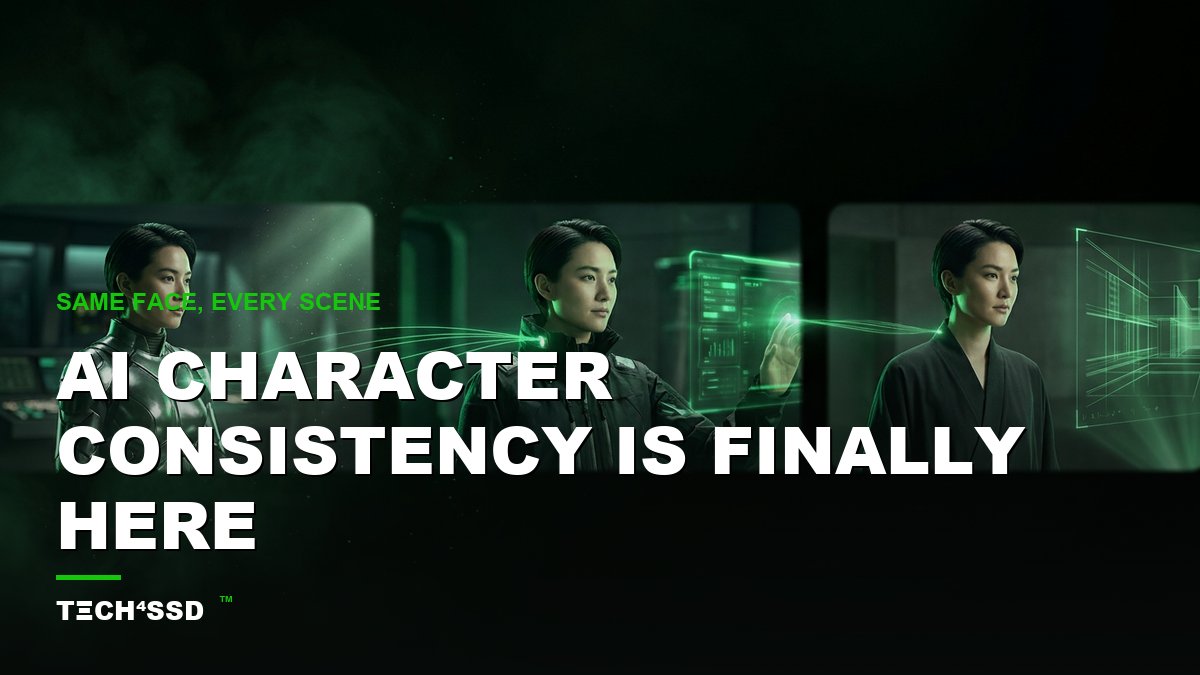
For years, AI image tools had one maddening flaw: every time you hit "generate," your character changed. Different face. Different hair. A whole new person. You'd get one perfect shot — then never see that character again. 😩 Trying to build a story, a comic, or an AI influencer felt impossible.
That wall just came down. In 2026, AI character consistency is the breakthrough everyone's talking about — and it means you can keep the same face across unlimited scenes, outfits, and moods. Same character, slide one to slide one hundred. 🔥 Here's exactly what it is and how to use it today.
What Is AI Character Consistency?
In plain English: it's the ability to lock in one character — their face, hair, vibe — and then place that exact same person into any new scene you imagine. You define the character once, and the AI remembers them every time.
Why does that matter so much? Because almost everything fun you'd want to make with AI needs a recurring character:
- AI influencers — a virtual personality who looks identical in every post.
- Story and comic series — the same hero across panel after panel.
- Brand mascots — a recognizable face for your business, on demand.
- Course and explainer characters — a friendly guide who shows up in every lesson.
Without consistency, all of that falls apart. With it, you can build a whole world around one character — solo, with zero budget.
What You'll Need 🎯
- One clear reference image — your character's face, well-lit and fully visible. A real selfie, or an AI portrait you already love.
- A tool with a character-reference feature — Google Gemini ("Nano Banana") image mode, a Midjourney-style character reference, or any model that lets you "use this image" as the locked subject.
- 10–15 minutes. That's the whole setup. No design skills needed.
Step 1: Lock In Your Reference Image 📸
Everything starts here. Pick (or generate) one crisp, front-facing image of your character with soft, even lighting and nothing covering the face. This single image becomes the "source of truth" the AI matches against every time.
💡 Pro Tip: Spend your effort getting this one image right. A sharp, clean reference is the biggest factor in how consistent every later scene will look.
Step 2: Attach the Reference & Describe a New Scene ✨
Open your tool, start a new image, and attach your reference as the character. Look for an option like "use this image," "character reference," or "edit with reference." That's the switch that tells the AI: keep this person, change everything else.
Now describe the new scene like you're briefing an illustrator — setting, outfit, mood, lighting. Here's a plug-and-play template:
"The same character from the reference image, now standing in a sunlit Tokyo street at golden hour, wearing a cream trench coat, relaxed confident expression, cinematic lighting, same face and hairstyle as the reference."
Notice the magic words: "same character," "same face and hairstyle as the reference." Spelling that out keeps the AI anchored to your person while it builds a brand-new scene around them.
Step 3: Reuse the Same Reference (and Seed) Every Time 🎨
This is the secret to a believable series. Keep that same reference attached for every generation, and change only one thing at a time — first the setting, then the outfit, then the pose. If your tool lets you reuse a "seed" number, lock it too; it nudges the AI toward the same look run after run.
Consistent reference + consistent base prompt = a character who clearly walked from one scene into the next, instead of a stranger in each frame.
Step 4: Review & Regenerate the Outliers
AI isn't perfect. Every so often a generation drifts — the jaw's a little off, the eyes aren't quite right. Don't settle. Just delete that one and regenerate it. Because outputs are basically free, you can run a shot three or four times and keep only the version that truly matches your character.
💡 Pro Tip: Generate a couple of "safe" head-and-shoulders shots first to confirm the face is locked, then get adventurous with wild scenes. If the face holds on the easy ones, the hard ones get easier.
Step 5: Carry Your Character Into Video 🎬
Here's where 2026 gets wild. Many AI video tools now accept a reference image too — so you can take your locked character image and turn it into a talking, moving clip. Feed in one of your best consistent stills, add a short action prompt ("she smiles and waves at the camera"), and your still character comes to life. That's how solo creators are building entire AI influencer feeds and short video series from a single face.
What You Can Build With It 💰
Once you can hold a face steady, a lot of doors open:
- An AI influencer — one virtual personality, posting consistent content across socials with no photoshoots.
- A comic or story series — your hero appearing in dozens of panels, all recognizably the same character.
- A recurring brand character — a mascot or spokesperson you can drop into ads, thumbnails, and explainers anytime.
Key Takeaways
- AI character consistency means keeping the same face across unlimited scenes — the breakthrough behind AI influencers, comics, and brand characters.
- It all starts with one crisp reference image — the cleaner it is, the more consistent everything that follows.
- Attach that reference every time and say "same character, same face" in your prompt.
- Change one thing per scene, reuse the seed if you can, and regenerate any shot that drifts.
- Carry your locked character into AI video tools to make it move, talk, and post.
Frequently Asked Questions
Which tools do this?
Any image tool with a character-reference or "use this image" feature. Google Gemini's image mode ("Nano Banana") is a popular free option, and Midjourney-style character references work well too. The feature names change fast, so look for "character reference," "reference image," or "edit with reference."
Will it be 100% identical every time?
Not perfectly — it's "remarkably consistent," not a clone. Expect tiny variations, especially at extreme angles or lighting. That's why you keep the reference attached, reuse the seed, and simply regenerate the rare shot that drifts too far.
Do I need a real photo, or can the character be made-up?
Either works. You can use a real selfie, or generate an entirely fictional face first and then lock that as your reference. Many AI influencers start as a brand-new AI-generated character that never existed.
Is it free to try?
Yes — the free tiers of tools like Google Gemini are enough to test character consistency and build a small set. Paid plans add more generations and higher resolution, but you can absolutely start at $0.
Final Word
For years, "the face keeps changing" was the one thing that made AI characters feel like a gimmick. That era is over. With character consistency, you can build a personality, a story, or a brand around a single face — and keep it alive across every scene you dream up. 🚀
Pick your character, lock the reference, and start your first scene. The same face, every time, is finally yours to direct.
📩 Want a fresh AI win like this every week?
Subscribe to Tech4SSD — practical AI tools and creator guides, explained for everyone. Free. Subscribe →
AI features and tool names move fast — verify current options before relying on them. — Tech4SSD Editorial
Discussion
Have a question or something to add?
Join the discussion on Blogger