no-code agentic workflow: here is what the official release means in practice. Ever wished your Google Workspace could just *do* more? Like, really *think* and *act* for you? Good news! Google Workspace is rolling out some seriously game-changing AI capabilities, making it easier than ever to build a no-code agentic workflow. This isn't just about connecting apps; it's about giving your Workspace a brain to handle complex, end-to-end tasks, all without writing a single line of code. 🤯
At Cloud Next '26, Google unveiled 'Workspace Intelligence,' a powerful system designed to understand your work in real-time and power these new AI agents. We're talking about automating everything from drafting emails to managing your calendar and synthesizing entire Drive documents. Ready to dive in and see how you can start planning your own AI-powered assistant? Let's go! ✨
Advertisement
What is Workspace Intelligence, Anyway? 🤔
Think of Workspace Intelligence as the ultimate brain for your Google Workspace. It's not just connecting your apps; it's understanding the *relationships* between your documents, emails, projects, and even your collaborators. This system provides a unified, real-time understanding of everything happening across your Workspace, including your organizational domain knowledge. It's like having an incredibly smart assistant who knows your entire digital life inside and out.
This deep understanding is what powers 'agentic work.' Instead of you telling an AI what to do step-by-step, an AI agent, fueled by Workspace Intelligence, can figure out the best course of action on its own. It can adapt, learn, and execute complex tasks, making your digital life smoother and way more efficient. It's a huge leap forward from simple automation to genuinely intelligent assistance.
Meet the Workspace MCP Server: Your AI's New Toolkit 🛠️
One of the coolest new pieces of this puzzle is the Workspace MCP Server, currently in preview. This isn't something you'll directly interact with daily, but it's crucial for what you *can* do. The MCP Server allows AI applications and agents to integrate advanced Workspace capabilities. This means your custom AI agents can now tap directly into the core functions of your Google apps.
Imagine an AI agent that can synthesize information from a dozen Drive documents, draft a perfectly worded Gmail response based on that info, and then automatically update your Calendar with relevant deadlines. That's the power the MCP Server unlocks. It's the bridge that lets your AI agents truly *act* within your Workspace, not just observe it. You're getting a whole new level of integration and capability.
Workspace Studio: Your No-Code Agent Builder 🎨
This is where *you* come in! Google Workspace Studio, which became generally available on December 4, 2025, is your playground for building and deploying these powerful AI agents. And the best part? It's entirely no-code. You don't need to be a developer to create sophisticated automation.
Workspace Studio leverages the incredible reasoning power of Gemini 3. This means your agents aren't just following simple rules; they can understand context, adapt to new information, and automate complex workflows. You can design, manage, and share your custom AI agents, orchestrating 'agentic automation' across all your workflows. These agents, or 'skills,' can be invoked anywhere Gemini is used in Workspace, putting powerful AI at your fingertips.
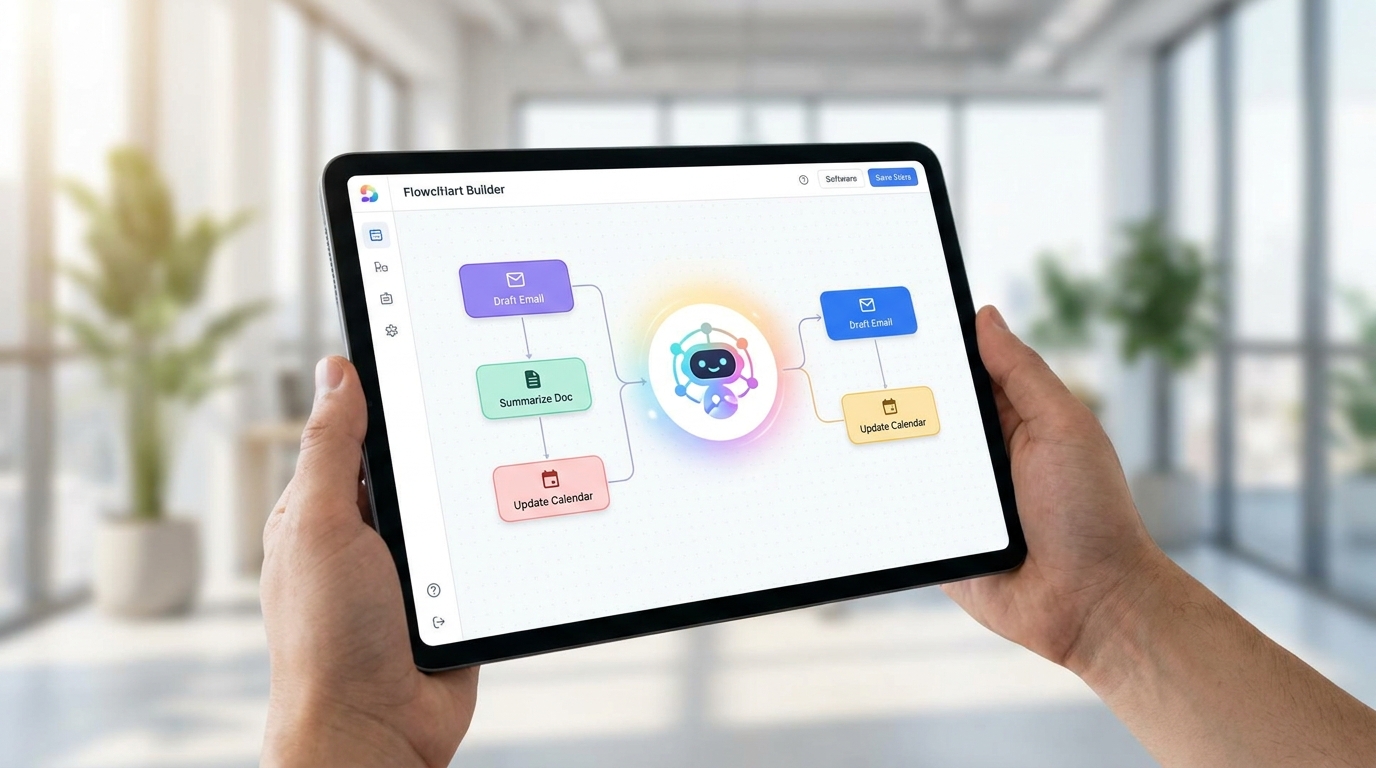
Workspace Studio makes building complex AI agents as easy as drag-and-drop.
Planning Your First No-Code Agentic Workflow 🗺️
So, how do you actually *plan* one of these magical no-code agentic workflows? It starts with identifying a pain point. What's a repetitive, multi-step task that eats up your time? Don't think about the AI yet; just think about the problem. Is it scheduling client meetings that involve checking multiple calendars and sending follow-ups? Is it synthesizing weekly reports from various data sources? Or perhaps managing project updates across different teams?
Once you have your problem, break it down into logical steps. What information do you need? What actions need to be taken? What's the desired outcome? This 'human' planning stage is crucial before you even open Workspace Studio. Think of it like mapping out a journey before you get in the car. The clearer your map, the smoother the ride.
Advertisement
From Idea to Agent: A Step-by-Step Guide 🚀
Let's walk through a practical example. Imagine you're a small business owner who needs to onboard new clients. This involves sending welcome emails, setting up discovery calls, creating a shared Drive folder, and adding them to your CRM (which might be a Google Sheet).
Here's how you'd plan this no-code agentic workflow:
1. Define the Trigger: What starts this process? Maybe a new entry in a 'New Clients' Google Sheet, or a specific email received in Gmail. 📧
2. Identify Core Actions: What needs to happen? Draft a welcome email, schedule a meeting, create a Drive folder, add a row to a Google Sheet. ✍️
3. Determine Information Flow: What data is needed for each action? Client name, email, company, preferred meeting times. Where does this data come from? (e.g., the Google Sheet entry, the initial email). 📥
4. Outline Decision Points: Are there any 'if this, then that' scenarios? (e.g., 'If client is enterprise, send X email; if small business, send Y email'). Gemini 3's reasoning can handle these complexities. 🚦
5. Specify Outputs: What's the final result? Sent email, calendar invite, Drive folder created, CRM updated. ✅
- Identify Repetitive Tasks: Look for multi-step processes you do regularly that involve multiple Workspace apps. These are prime candidates for agentic automation.
- Map Out the Workflow: Before touching Studio, draw out the steps, inputs, and outputs. This clarity will make building your agent much easier.
- Leverage Workspace Intelligence: Remember, the agent understands context. Don't over-specify every tiny detail; let the AI's inherent understanding do some of the heavy lifting.
Integrating with Your Existing Tools & Data 🔗
The beauty of Workspace Intelligence and Studio is their deep integration. Your agents aren't operating in a vacuum. They inherently understand the complex semantic relationships within your Workspace apps and organizational data. This means they can pull information from your Drive, understand the context of your Gmail conversations, and manage your Calendar logic seamlessly.
For Tech4SSD's audience – creators, students, small-business owners – this is huge. You're not just getting a new tool; you're getting a way to make all your *existing* tools work together more intelligently. The ability to build custom AI agents without coding, and integrate Workspace capabilities directly into AI applications, democratizes agentic AI. It moves it from specialized development to everyday business use, empowering you to streamline operations and build more intelligent systems.
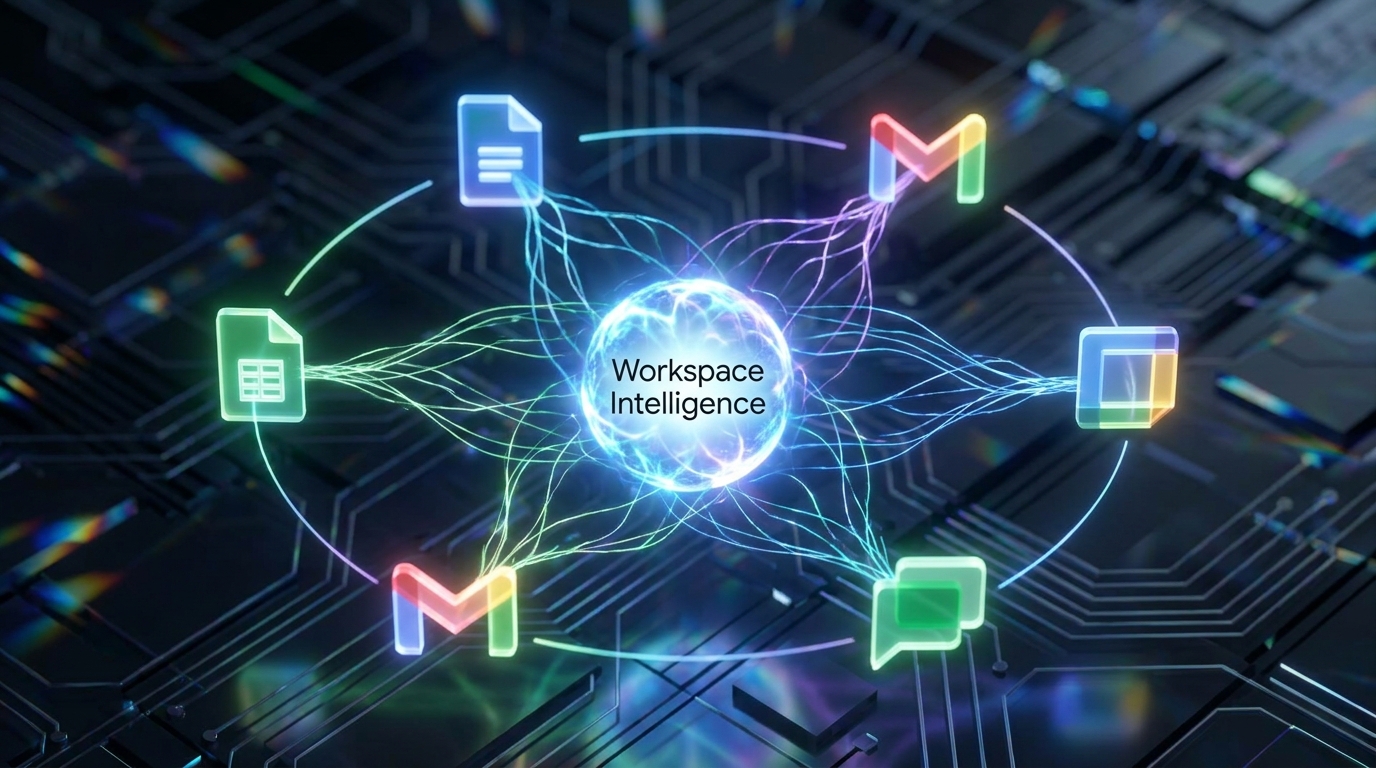
Workspace Intelligence unifies your data, making your AI agents smarter and more effective.
The Future is Agentic: What This Means for You 🔮
The advancements announced at Cloud Next '26 signal a major shift. We're moving beyond simple automation to truly agentic AI, where systems can reason, plan, and execute complex tasks autonomously. For you, this means less time on repetitive administrative work and more time for creative, strategic tasks that truly move the needle.
This isn't just about saving time; it's about unlocking new possibilities. Imagine an AI agent that proactively identifies potential project roadblocks, suggests solutions, and even drafts communications to resolve them. Or an agent that analyzes your content performance across platforms and automatically generates personalized outreach emails to your audience. The potential for innovation and productivity gains is immense, and with Google Workspace Studio, you're now equipped to build these solutions yourself.
💡 Pro Tip: Start small! Pick one simple, repetitive task to automate with your first no-code agentic workflow. Success with a small win builds confidence for tackling bigger challenges.
Key Takeaways
- Google Workspace Intelligence provides a unified, real-time understanding of your Workspace data, powering advanced AI agents.
- The Workspace MCP Server enables deep integration of Workspace app capabilities (like Drive synthesis or Gmail drafting) into AI applications.
- Workspace Studio allows you to build and deploy custom, no-code AI agents using Gemini 3's reasoning for complex workflow automation.
- Planning a no-code agentic workflow involves defining triggers, actions, data flow, and decision points before building.
- This democratizes powerful agentic AI, making it accessible for everyday creators, students, and small-business owners to enhance productivity.
Related on Tech4SSD 🔗
- No-Code AI Agents: Build Powerful Digital Assistants for Free in 2026
- Beyond Chatbots: Building Your Specialized AI Productivity Stack for 2026
📩 Want the freshest AI trends every week?
Subscribe to Tech4SSD — practical AI tools and trends, explained for everyone. Free. Subscribe →
Advertisement
Frequently Asked Questions
Do I need to know how to code to build these AI agents?
Absolutely not! Google Workspace Studio is designed for no-code development, allowing anyone to design and deploy AI agents using visual interfaces and natural language prompts.
What kind of tasks can these AI agents automate?
The possibilities are vast! They can automate tasks like synthesizing documents, drafting emails, managing calendar logic, orchestrating complex business processes, and much more, leveraging the full capabilities of your Workspace apps.
How does Workspace Intelligence differ from regular app integrations?
Regular integrations connect apps, but Workspace Intelligence provides a deeper, real-time understanding of the semantic relationships within your data, projects, and collaborators across all Workspace apps. This allows agents to reason and act more intelligently and autonomously.
Is Workspace Studio available now?
Yes! Google Workspace Studio became generally available on December 4, 2025, making it accessible for users to start building their own AI agents.
Final Word
The era of agentic AI is here, and Google Workspace is putting the power directly into your hands. No longer is advanced automation the exclusive domain of developers. With Workspace Intelligence and Studio, you, the everyday creator, student, or small-business owner, can design sophisticated AI agents that truly understand your work and act on your behalf.
This is more than just a new feature; it's a fundamental shift in how we interact with our digital tools. By learning to plan and deploy these no-code agentic workflows, you're not just boosting your productivity; you're future-proofing your skills and transforming your entire approach to work. Go forth and build your intelligent Workspace! 🚀
Sources & Further Reading
- 10 more announcements for Workspace at Google Cloud Next 2026 | Google Workspace Blog
- New Workspace Intelligence delivers unified, real-time understanding to power agentic work. | Google Workspace Blog
- Introducing Google Workspace Studio to automate everyday work with AI agents | Google Workspace Blog
- 10 Must-See Google Workspace and Gemini Sessions at Next '26 | Google Workspace Blog
- Prepare your business for the agentic AI era | Google Workspace Blog
- Transforming HR workflows with AI | Google Workspace Blog
AI tools and features change fast — verify current options before relying on them. — Tech4SSD Editorial
Discussion
Have a question or something to add?
Join the discussion on Blogger