Gemini Omni Flash Google Vids: here is what the official release means in practice. Ever wished you could conjure a perfectly edited video with just a few words? Well, get ready, because that dream is now a reality for businesses and creators! Gemini Omni Flash Google Vids has officially landed, bringing mind-blowing AI video editing and personal avatar creation right into your Workspace. 🤯 This isn't just another update; it's a game-changer for how you'll produce video content.
In this post, we're breaking down exactly what Gemini Omni Flash means for your workflow. We'll explore how simple text prompts can transform your videos, how you can create a digital 'you' to star in your content, and why Google's commitment to responsible AI is built right in. You're about to feel incredibly capable with these new tools!
Advertisement
Meet Gemini Omni Flash: Your New Video Co-Pilot 🚀
Imagine having a professional video editor living right inside your Google Workspace. That's essentially what Gemini Omni Flash brings to Google Vids. As of July 17, 2026, this powerful AI is ready to help you create, edit, and repurpose video content faster and smarter than ever before. It's designed to take the heavy lifting out of video production, so you can focus on your message, not the technicalities.
Whether you're a small business owner crafting marketing clips, a marketer testing different ad variations, or a creator wanting to streamline your output, Gemini Omni Flash is built for you. It's about democratizing advanced video editing, making it accessible with tools you already know and love. Think of it as your secret weapon for standing out in a crowded digital world.
Edit Videos with Words, Not Clicks ✍️
This is where the magic truly happens. Gemini Omni Flash lets you edit your existing video clips – whether they're from your phone, a camera, or even AI-generated – using simple, natural language text prompts. No more wrestling with complex timelines or obscure software menus! You just tell the AI what you want, and it makes it happen.
Need to change the lighting to make your product pop? "Adjust lighting to bright and airy." Want to remove that distracting clutter in the background? "Remove background clutter." Or maybe you need to swap out the entire setting? "Change background to a modern office." The possibilities are vast, and they put incredible power at your fingertips. You can even update product colors, tweak character appearance, alter camera angles, or modify the entire visual style of your video. It's like having a team of editors on demand, all responding to your commands.
Your Personal AI Avatar: Star in Every Video 🌟
Ever wished you could be in multiple places at once? Now you can, digitally! Gemini Omni Flash allows you to create personal AI avatars that not only look like you but also sound like you. Think of it as your digital double, ready to deliver your message anytime, anywhere, without you having to be physically present. This is a game-changer for consistency and scalability in your video content.
The process for creating these avatars is secure and designed to accurately capture your likeness and voice. Once created, your personal AI avatar can be deployed in website welcome videos, social media clips, training modules, and so much more. Imagine having your avatar introduce your new product or explain a complex service, all while you're busy with other tasks. It's about extending your reach and impact without extending your working hours.
Soon, Google Vids will even let you add your unique branding elements to these custom avatars and automatically insert them when converting presentations into videos. And get this: your avatar will soon be available in 24 languages, breaking down communication barriers like never before! 🌍
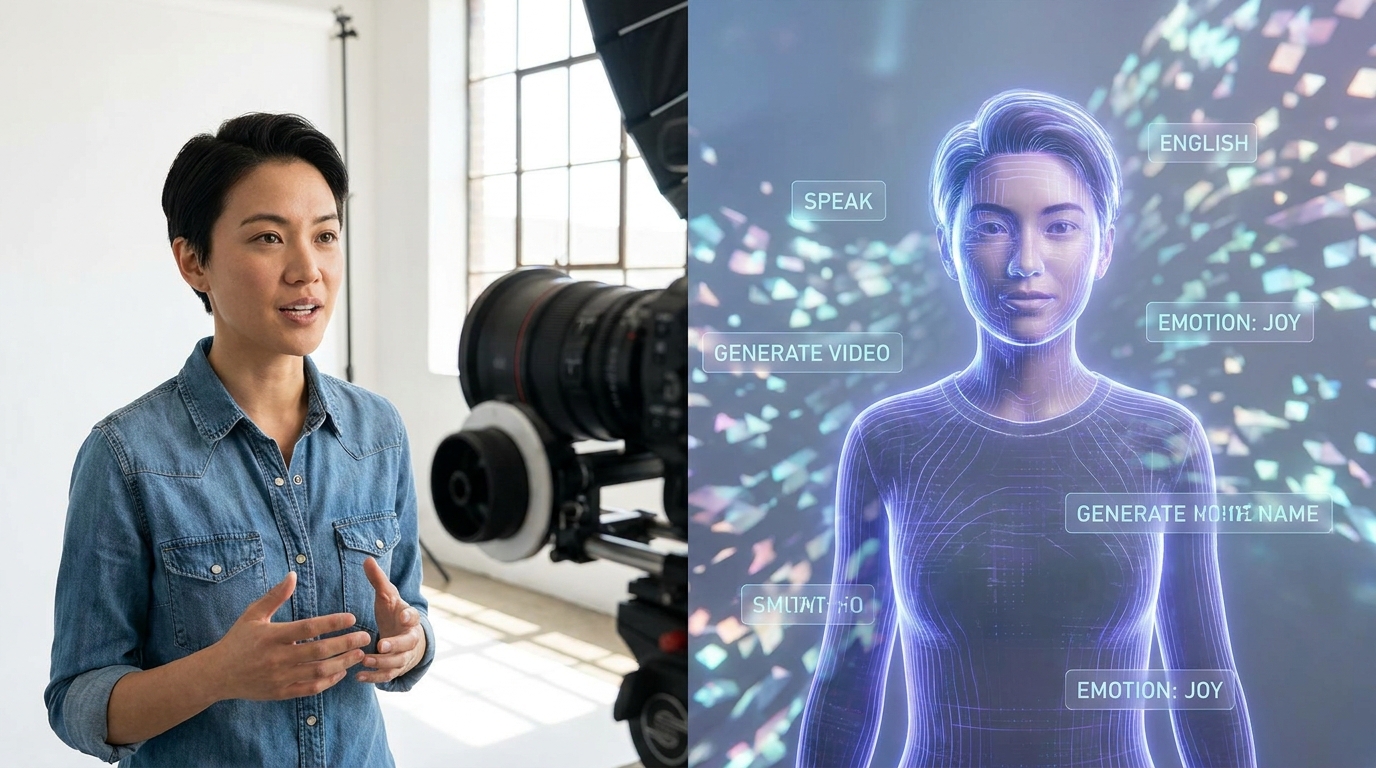
From real-life recording to AI avatar magic: Gemini Omni Flash makes it happen.
Safety First: Responsible AI in Action 🛡️
Google understands that with great power comes great responsibility. That's why significant safety measures are built into the Gemini Omni Flash integration. For instance, access to creating personal AI avatars is currently limited to users 18 years or older with English as their primary language. This helps ensure responsible use of this powerful technology.
Furthermore, every single AI-generated video created with Gemini Omni Flash will include an imperceptible SynthID digital watermark. This watermark acts like a digital fingerprint, making it possible to identify content as AI-generated, even if it's cropped, resized, or compressed. It's a crucial step in maintaining transparency and trust in the age of AI-generated media, a topic we often discuss at Tech4SSD. Navigating AI Bias: Challenges & Solutions for Creators in 2026
Advertisement
Who Can Access This Power? 💼
Ready to jump in? Gemini Omni Flash in Google Vids is available to paid Workspace account holders. If you're already using Google Workspace for your business, you're likely just a few clicks away from these incredible features. Simply head over to vids.new to get started.
Google Vids already boasts over 7 million monthly active users, a testament to its growing utility for businesses and individuals. This new integration is set to supercharge that user base, offering an unparalleled suite of tools for video creation and marketing. If you're serious about your digital presence, this is a tool you won't want to overlook.
- Paid Workspace Accounts: Access to Gemini Omni Flash in Google Vids is currently for paid Google Workspace subscribers.
- Easy Access: Simply navigate to vids.new to explore the new features.
- Growing User Base: Join over 7 million monthly active users already leveraging Google Vids for their video needs.
Why This Matters for Your Business & Brand 📈
This release isn't just a tech update; it's a strategic advantage for creators, students, and small-business owners. The ability to generate high-quality, personalized video content quickly and efficiently means you can engage your audience more effectively, test marketing messages faster, and scale your content production without scaling your budget or team.
For marketers, imagine rapidly generating multiple versions of an ad campaign, each with slight variations in messaging or visuals, to A/B test their effectiveness. For small businesses, picture a personalized welcome video from your AI avatar on your website, greeting every new visitor. For educators, think about creating engaging explainer videos with your digital self, available 24/7. This is about making professional-grade video accessible to everyone, empowering you to tell your story in compelling new ways.

Empowering creators: Gemini Omni Flash streamlines video production for everyone.
💡 Pro Tip: Use descriptive, specific text prompts for the best results when editing videos with Gemini Omni Flash. The more detail you provide, the better the AI can understand and execute your vision!
Key Takeaways
- Gemini Omni Flash in Google Vids allows AI-powered video editing via natural language text prompts.
- You can now create personal AI avatars that look and sound like you for diverse video content.
- Safety features include age restrictions for avatar creation and SynthID watermarks on all AI-generated videos.
- The new features are available to paid Google Workspace account holders at vids.new.
- This integration significantly streamlines video content creation, repurposing, and testing for businesses and marketers.
Related on Tech4SSD 🔗
- Gemini Omni Flash: Google's AI Redefines Video Storytelling (2026)
- AI Voice Quality Reaches Human Levels: What It Means for Your Business (2026)
📩 Want the freshest AI trends every week?
Subscribe to Tech4SSD — practical AI tools and trends, explained for everyone. Free. Subscribe →
Advertisement
Frequently Asked Questions
What is Gemini Omni Flash in Google Vids?
It's a new AI integration in Google Vids that allows users to edit videos using simple text prompts and create realistic personal AI avatars for their video content.
How do I create a personal AI avatar?
You'll go through a secure capture process within Google Vids. Currently, this feature is available to users 18+ with English as their primary language.
Are AI-generated videos clearly marked?
Yes, all AI-generated videos created with Gemini Omni Flash include an imperceptible SynthID digital watermark, ensuring transparency and traceability.
Who can use these new features?
The new Gemini Omni Flash features in Google Vids are accessible to all paid Google Workspace account holders.
Final Word
The arrival of Gemini Omni Flash in Google Vids marks a significant milestone in accessible AI-powered video production. It's a powerful suite of tools that removes barriers to entry for professional-grade video, putting the ability to create, edit, and personalize video content directly into your hands. This isn't just about making videos; it's about making your message clearer, your brand stronger, and your workflow more efficient.
So, whether you're looking to enhance your marketing efforts, streamline internal communications, or simply explore the cutting edge of AI, Gemini Omni Flash is here to empower you. Dive in, experiment, and prepare to revolutionize your video content creation! Your future in video starts now. ✨
Sources & Further Reading
- Gemini Omni Flash now available in Google Vids | Google Workspace Blog
- 10 more announcements for Workspace at Google Cloud Next 2026 | Google Workspace Blog
- Doc Tools - Google Workspace Marketplace
- Labelmaker - Create & print labels - Google Workspace Marketplace
- Form Builder - Google Workspace Marketplace
- Google Workspace: Secure Online Productivity & Collaboration Tools
AI tools and features change fast — verify current options before relying on them. — Tech4SSD Editorial
Discussion
Have a question or something to add?
Join the discussion on Blogger