Hey creators, students, and small business owners! Ever wondered how big companies manage to roll out AI tools safely and effectively? 🤖 Well, Microsoft is making it easier than ever with their latest push for Microsoft Agent 365. This isn't just about individual AI helpers; it's about building and controlling entire fleets of smart agents that work together, securely, across your whole organization.
In this post, we're going to demystify what Microsoft Agent 365 means for you. We’ll break down how it helps create custom AI agents, keeps them secure, and integrates them seamlessly into the Microsoft 365 world. Get ready to understand the future of enterprise AI, and how you can be a part of it.
Advertisement
What Are AI Agents, Really? 🤔
Before we dive into Microsoft's specific tools, let's get clear on what an 'AI agent' actually is. Think of an AI agent as a really smart digital assistant that can understand complex requests, interact with different tools and services, and even make decisions or take actions autonomously to achieve a goal. It's more than just a chatbot; it's a digital team member that can get things done.
For a small business, this could mean an agent that automatically processes customer inquiries, schedules follow-ups, and updates your CRM. For a student, it might be an agent that helps manage research tasks, collects data, and organizes notes. The key is that these agents aren't just giving information; they're *doing* things.
Enter Microsoft Agent 365: Your AI Agent Command Center 🚀
Microsoft Agent 365 is Microsoft's overarching strategy to empower developers and businesses to build, deploy, and manage custom AI agents within the Microsoft 365 ecosystem. It's about bringing the power of AI agents from experimental projects to core business operations, all while making sure everything stays secure and compliant. It's a big step towards making AI truly enterprise-grade.
This initiative isn't just one product; it's a suite of tools and frameworks. At its heart, it focuses on giving you the control you need. Imagine being able to create AI agents that can access sensitive company data, but only in ways you've approved. That's the promise of Agent 365 – powerful AI, safely deployed.
Building Your Own Agents with the Agent 365 SDK 🛠️
For those who love to get their hands dirty with code, the Agent 365 SDK (Software Development Kit) is your playground. This SDK is designed for developers to integrate crucial features directly into the AI agents they build. We're talking security controls, monitoring tools (observability), and access management – all baked right in from the start.
Why does this matter? Because when you're dealing with company data, security isn't an afterthought; it's a must-have. The SDK helps ensure that any custom agent you create is compliant with your company's policies, making it much easier to deploy these agents across your organization without fear of data breaches or compliance headaches. It's about building trust into your AI from day one.
This means you can develop sophisticated, custom agents tailored to your specific business needs, knowing they'll meet enterprise security standards. It's a powerful way to move AI from individual productivity hacks to robust, integrated business solutions.
- Security by Design Integrate security controls from the ground up, not as an add-on.
- Observability Built-in Monitor your agents' performance and behavior to ensure they're working as intended.
- Access Management Define exactly what data and systems your agents can interact with, preventing unauthorized access.
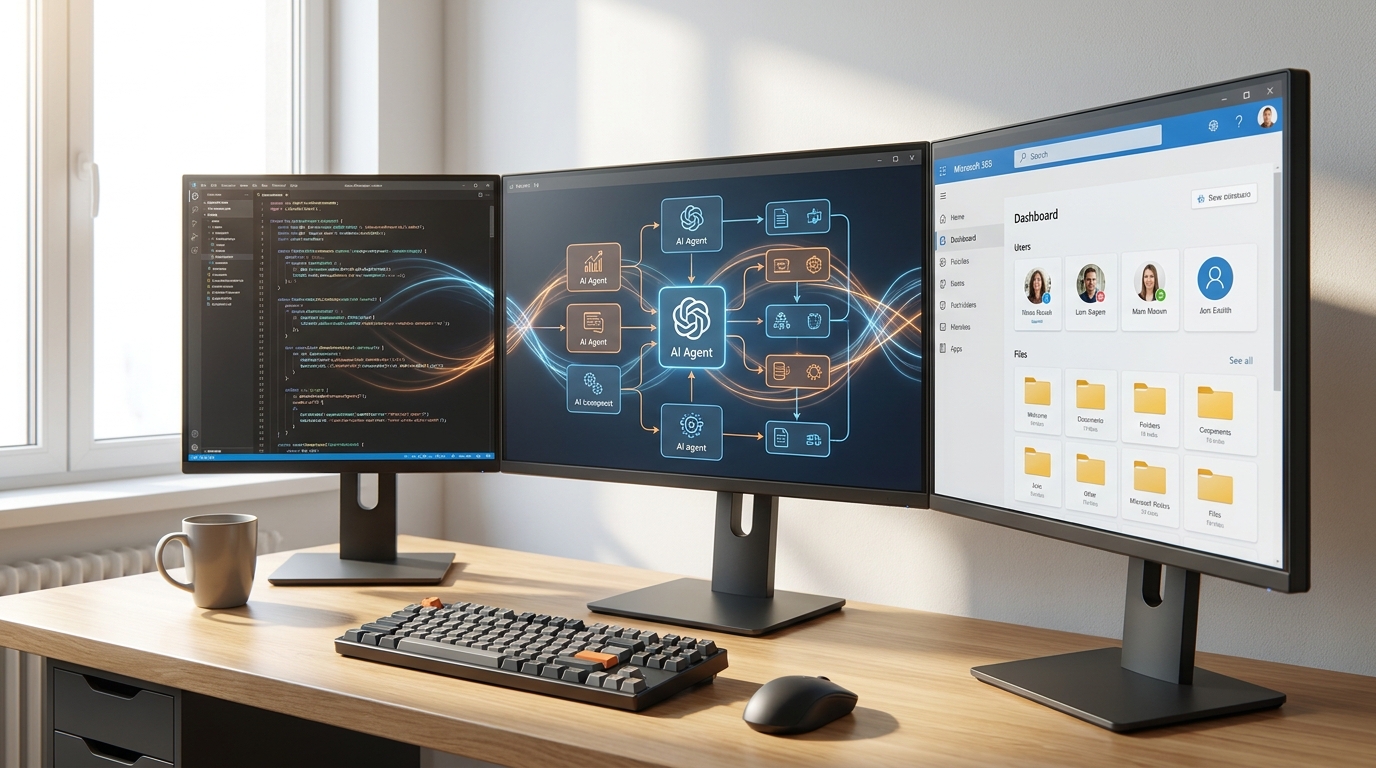
The Agent 365 SDK empowers developers to build secure and compliant AI agents.
No-Code Agent Building with Copilot Studio 🎨
Not a coder? No problem! Microsoft understands that everyone should be able to create AI agents. That's where Microsoft Copilot Studio comes in. This tool offers a guided, no-code graphical experience. Think of it like drag-and-drop for AI agents. You can easily add knowledge sources, test out changes, and even publish your agents to demo websites to see them in action. It's incredibly user-friendly.
Copilot Studio allows you to define 'agent flows.' These are basically automated task sequences. An agent flow can trigger an action (like sending an email or updating a database) based on an event (like a customer message). They use connections to Microsoft 365 apps and third-party services, and can even incorporate human intervention when needed. It's a flexible way to automate complex processes without writing a single line of code. You can learn more about getting started with it on Microsoft Learn and explore agent flows in detail.
This means small business owners and creators can now build sophisticated AI solutions tailored to their unique needs, without needing a dedicated development team. Imagine an agent that automates your social media scheduling, responds to common customer questions, or even helps manage your content calendar – all built by you, no coding required!
Advertisement
Governing Your AI Agent Fleet with Agent 365 Skills 🛡️
So, you've built some awesome AI agents. Now what? How do you make sure they all play nicely together, access data securely, and follow company rules? This is where Agent 365 Skills and the 'control plane' become vital. This powerful combination allows you to import and manage locally built AI agents under a centralized governance system. It's like having a traffic controller for all your AI agents.
The control plane ensures secure data access and applies enterprise-level controls across what Microsoft calls an 'agent mesh' within Microsoft 365. This means whether an agent was built with the SDK, Copilot Studio, or even a third-party tool, it can be brought under the same umbrella of security and compliance. This is crucial for larger organizations but also a smart move for growing businesses to prevent chaos as they scale their AI adoption.
This focus on governance addresses a huge concern for businesses: how to scale AI without losing control. Microsoft is providing the tools to make sure your AI agents are not just powerful, but also responsible and secure. Cloud Wars has a great piece on how Agent 365 Skills accelerates governed enterprise agents.

Agent 365 Skills provide centralized governance for all your AI agents.
Why This Matters for Everyday Creators and Businesses 💡
Okay, so this all sounds very 'enterprise,' but how does it impact *you*? Picture this: you're a small business owner. You want an AI agent to help with customer service, another for marketing, and a third for internal operations. Before Agent 365, managing the security and data access for each of these could be a nightmare. With Agent 365, Microsoft is providing a unified framework.
This means you can confidently deploy AI agents that handle sensitive data or interact with core business systems, knowing they're operating within established security parameters. It moves AI from being a cool, experimental tool to a foundational part of how you run your business, making you more efficient and competitive. It also means more robust, integrated AI solutions will become available to you, powered by this enterprise-grade backbone.
The shift towards governed AI agents means moving AI from experimental pilots to core business operations. It’s about making AI reliable, secure, and scalable for everyone, from large corporations to individual entrepreneurs. If you're building products or services around Microsoft 365, this is a massive opportunity to create integrated, compliant, and powerful AI solutions.
The Future of AI in Microsoft 365 🌐
Microsoft's vision is clear: AI agents will become integral to how we work within Microsoft 365. This isn't just about Copilot helping you write emails; it's about a network of specialized agents working behind the scenes, automating, protecting, and optimizing your processes. This 'agent mesh' will interact with each other, with users, and with the vast array of data within Microsoft 365.
The focus on security, governance, and developer tools means that this future is being built on a solid foundation. It's about ensuring that as AI becomes more powerful and pervasive, it also remains trustworthy and controllable. This is a game-changer for anyone looking to seriously leverage AI in their professional life.
This robust framework will likely lead to an explosion of innovative AI solutions within Microsoft 365, making everyday tasks smoother and more intelligent. Keep an eye on the official Microsoft Security Blog for updates on securing code, agents, and models.
Key Takeaways
- Microsoft Agent 365 provides tools (SDK, Copilot Studio) to build custom AI agents for the Microsoft 365 ecosystem.
- The Agent 365 SDK allows developers to integrate security, observability, and access controls directly into AI agents.
- Copilot Studio offers a no-code, graphical way to create agent flows and automate tasks for non-developers.
- Agent 365 Skills and the 'control plane' enable centralized governance and secure data access for all AI agents.
- This initiative ensures enterprise-grade security and compliance, moving AI from experiments to core business operations.
Related on Tech4SSD 🔗
- AI Note-Taking Apps in 2026: From Transcription to Actionable Intelligence (2026)
- AI Presentation Makers in 2026: The Tools Redefining Deck Creation for Every Professional (2026)
- AI Tools for Students in 2026: Your Ultimate Guide to Smarter Learning
📩 Want the freshest AI trends every week?
Subscribe to Tech4SSD — practical AI tools and trends, explained for everyone. Free. Subscribe →
Advertisement
Frequently Asked Questions
What's the main difference between an AI agent and a chatbot?
A chatbot typically responds to queries based on pre-programmed rules or limited understanding. An AI agent is more autonomous; it can understand goals, interact with multiple systems, make decisions, and take actions to achieve those goals, often proactively.
Do I need to be a programmer to create AI agents with Microsoft Agent 365?
No! While the Agent 365 SDK is for developers, Microsoft Copilot Studio offers a no-code graphical interface to build agents and automate tasks, making it accessible to everyone.
How does Microsoft Agent 365 ensure security and compliance?
It integrates security controls, observability, and access management directly into the agent development process via the SDK. Additionally, Agent 365 Skills and the 'control plane' provide centralized governance, secure data access, and enterprise-level controls for all agents deployed within Microsoft 365.
Can I use Agent 365 with AI agents I've already built?
Yes! Agent 365 Skills and the control plane are designed to allow the import and governance of previously built AI agents, bringing them under the centralized security and compliance framework.
Final Word
Microsoft Agent 365 is more than just a new set of tools; it's a strategic shift towards making AI agents a secure, governed, and integrated part of the enterprise landscape. For creators, students, and small business owners, this means access to more robust and trustworthy AI solutions, whether you're building them yourself or using those built by others.
The future of work with AI is about intelligent automation that you can trust. Microsoft is laying the groundwork for that future, making sure that as AI becomes more powerful, it also becomes more responsible and manageable. Get ready to build smarter, safer, and more integrated AI solutions! ✨
AI tools and features change fast — verify current options before relying on them. — Tech4SSD Editorial
Discussion
Have a question or something to add?
Join the discussion on Blogger