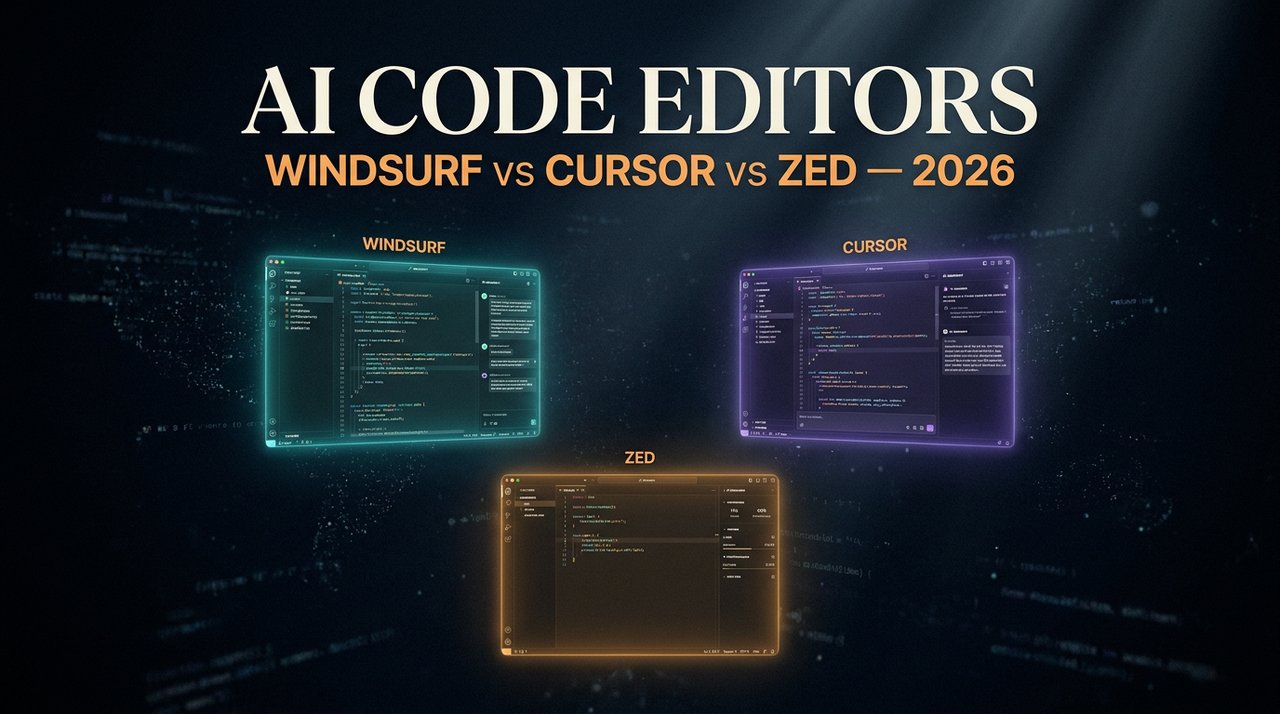
Three editors, three philosophies, one question: which one actually makes you ship faster in 2026? I've spent the last six months pushing real production code through Windsurf, Cursor, and Zed — across a Next.js SaaS, a Python data pipeline, and a Swift mobile app. Here's the unfiltered breakdown nobody's giving you.
Cursor wins on raw AI feature depth — Composer and Tab autocomplete are still the gold standard. Windsurf wins on agentic workflows — Cascade flows let you describe a multi-file change once and walk away. Zed wins on speed and team collaboration — it's the only one of the three that feels native, and the new AI panel finally caught up. Pick Cursor if you're solo and AI-maximalist. Pick Windsurf if you're refactoring legacy code at scale. Pick Zed if you pair-program or care about millisecond latency. Full head-to-head, pricing, decision tree, and FAQ below.
Three Editors, Three Philosophies
In 2026, the AI code editor market finally fractured into clear personalities. The "VS Code with a chat panel" era is over. Each of the big three is now optimized for a different kind of developer:
- Cursor bet on being the AI-native power tool — every keystroke and every panel is designed around Claude/GPT/Gemini being inside the editor, not bolted on.
- Windsurf bet on the agentic editor — Cascade treats your repo as a workspace an AI can plan, execute, and verify changes inside, not just a place to autocomplete a line.
- Zed bet on native performance and real-time collaboration — it was the only editor of the three written from scratch in Rust, and the AI features were layered on top of that speed advantage, not the other way around.
The picture below shows how the three positioned themselves heading into 2026:

None of these are wrong directions. They're different bets about what "AI inside the editor" should actually feel like — and they shape which one fits you best.
Cursor — The AI-Maximalist's Daily Driver
Positioning: Cursor is what you get when a team takes VS Code, forks it, and rebuilds every interaction around a frontier model. It's still the editor with the deepest AI feature surface area, and in 2026 that lead hasn't shrunk.
Killer features
- Composer — the multi-file edit panel that turned Cursor into the default IDE for serious AI-assisted refactors. You describe a change in plain English, Cursor proposes diffs across every relevant file, and you accept or reject each one.
- Tab autocomplete — still the best in the industry. It predicts not just the next token but the next edit, including cursor jumps across files. Once you've used it for a week, every other editor feels handicapped.
- Cursor 3 Agents — the headline 2026 feature: up to ten parallel agents working on your repo in separate sandboxed sessions. We broke this down in our Cursor 3 deep-dive.
- Model flexibility — pick Claude Opus 4.7, GPT-5.5, Gemini 3, or your own self-hosted model per task. No other editor lets you swap that fluidly mid-conversation.
When Cursor wins
Solo developers shipping a lot of code, fast. Indie hackers. Founders who need maximum AI leverage with minimal ceremony. If your day is 60% writing new code and 40% gluing AI suggestions together, Cursor's UX is unbeatable.
Sample prompt that shows off Cursor
@Composer
Refactor every API route in /app/api to use the new
withAuth() middleware. Update tests in /tests/api accordingly.
Keep response shapes identical. Do not touch the Stripe routes.
Composer returns a diff plan across roughly fifteen files, you skim it, accept the lot, run tests, done. That single workflow is why Cursor still sets the ceiling for AI editor UX.
Windsurf — The Agentic Refactor Machine
Positioning: Windsurf (from the Codeium team) leaned hard into the "agent that owns the workspace" model. Their flagship feature, Cascade, is the closest thing the industry has to an autonomous coworker who actually reads your repo before changing it.
Killer features
- Cascade Flows — instead of chatting, you describe an objective. Cascade plans the change, runs commands, reads files, edits them, runs tests, and reports back. The Flow stays alive across edits, so it remembers the why behind every change.
- Supercomplete — Windsurf's answer to Cursor Tab. It's slightly more conservative but better at multi-line predictions inside large files.
- Memory layer — Cascade builds and updates a long-term memory of your codebase conventions. The longer you use it on one repo, the better its suggestions get. This is the feature Cursor and Zed are still catching up on.
- Local + remote dual mode — Cascade can run partly on your machine and partly on Windsurf's cloud, so big repos don't choke the editor.
When Windsurf wins
Teams maintaining a large or legacy codebase. Anyone who does more refactoring than greenfield work. If your prompt usually starts with "across the whole repo, find every place that…" — Windsurf will outwork Cursor every time.
Sample prompt that shows off Windsurf
Cascade: migrate this Node 18 monorepo to Node 22.
Update all package.json engines fields, fix any deprecation
warnings, regenerate lockfiles, run the full test suite,
and open a PR with a summary of every breaking change.
You walk away. Forty minutes later you have a PR with a clean summary, passing tests, and a list of edge cases Cascade flagged for human review. That's the Windsurf sales pitch in one prompt.
Zed — The Speed Demon With a New AI Panel
Positioning: Zed is the dark horse. Built in Rust by ex-Atom engineers, it was originally the editor for people who cared about input latency more than AI features. In 2026, it finally has an AI story worth taking seriously — and the speed advantage is still untouchable.
Killer features
- Native performance — Zed starts in under 200 ms, keystroke-to-pixel latency is measured in single-digit milliseconds, and large files don't lag. Nothing else in this comparison feels remotely as fast.
- Assistant panel + inline assist — the AI panel hit feature parity with Cursor's chat in 2026, and inline assist now supports multi-file edits, model switching, and saved prompt presets.
- Real-time collaboration — the killer feature nobody else matches. Multiple developers (and AI agents) editing the same file with full presence, voice chat, and shared terminals. It's the only editor that feels designed for actual pair programming.
- Open source core — Zed went fully open source in 2024, and the community has been shipping extensions at a pace neither Cursor nor Windsurf can match.
When Zed wins
Anyone on a M-series Mac who finds Electron-based editors sluggish. Teams that pair-program or do live code review. Developers who want AI assistance without giving up the snappy feel of a real native app.
Sample prompt that shows off Zed
/assistant
Refactor this React component to use the new useFormState
hook. Stream the diff inline. While you're at it, ping
@maria into this collab session — she owns the form validation.
The diff streams in. Maria's cursor appears next to yours. You ship the PR together in one session. That's the Zed pitch — AI is one collaborator among many, not the entire interface.
Head-to-Head: The 8-Category Showdown
Here's the side-by-side that actually matters in day-to-day work. The matrix below is the short version — the explanations beneath cover the nuance.

| Category | Winner | Why |
|---|---|---|
| Tab autocomplete | Cursor | Predicts edits, not just tokens. Still the best feel. |
| Multi-file refactor | Windsurf | Cascade plans and verifies; Cursor edits and hopes. |
| Inline chat | Tie (Cursor / Zed) | Zed's inline assist closed the gap in 2026. |
| Agent / autonomous mode | Cursor (depth) / Windsurf (reliability) | Cursor runs ten agents in parallel; Windsurf runs one that actually finishes. |
| Performance / latency | Zed | Native Rust. Not even close. |
| Collaboration | Zed | Real-time multi-cursor + voice + shared terminal. |
| Model flexibility | Cursor | Bring-your-own-key + every frontier model supported. |
| Ecosystem & extensions | Cursor (VS Code compat) / Zed (open source) | Cursor inherits VS Code's plugin library. Zed's community is the fastest-growing. |
If you've been weighing AI coding tools beyond just editors, our broader breakdown of Claude Code vs Cursor vs GitHub Copilot is the companion piece. It zooms out from "which editor" to "which AI coding paradigm."
Ship code 10× faster with the right editor
Get weekly AI dev tool deep-dives + setup playbooks in your inbox. Free.
Pricing Breakdown (2026)
All three offer a free tier, but the gap shows up the moment you start using them seriously.
| Plan | Cursor | Windsurf | Zed |
|---|---|---|---|
| Free | Limited completions, GPT-4 class only | Generous — Cascade with daily quota | Editor 100% free, AI optional |
| Pro | $20/mo | $15/mo | $20/mo (Zed Pro w/ AI) |
| Business / Team | $40/seat/mo | $35/seat/mo | $30/seat/mo |
| Bring-your-own-key | Yes | Yes (Pro+) | Yes |
Honest take: at the personal Pro tier, Windsurf is the best value if you can live with one editor instead of two. Cursor is worth the extra five dollars a month if you live inside Composer. Zed's $20 Pro tier is the lightest on tokens — but you're paying for the speed and collab, not the AI volume.
The Decision Tree: Pick X If…
- Pick Cursor if you're solo, ship a lot of new code, want the deepest AI feature surface, and don't mind an Electron editor. Best default for indie hackers and AI-first founders.
- Pick Windsurf if you maintain a large existing codebase, do more refactoring than greenfield, want an agent that finishes the job, or work somewhere with budget for a single editor across the team.
- Pick Zed if input latency matters to you, you pair-program or do live code review, you're on a M-series Mac and care about battery life, or you want an editor that feels native and adds AI on top — not the other way around.
- Use two if you can. The honest move in 2026 is Zed for daily work, Cursor or Windsurf for heavy AI sessions. They cost less combined than one JetBrains license used to.
Whichever you pick, the multiplier is the same: pair it with skills, agents, and good prompting hygiene. If you've never explored that layer, our piece on Claude Skills as a hidden AI power-up covers the part of the workflow most people skip.
FAQ
Is Windsurf better than Cursor in 2026?
For multi-file refactors and agentic workflows on large repos — yes. For raw AI feature depth and best-in-class autocomplete — no. Pick by workflow, not by hype.
Is Zed actually fast enough to replace VS Code?
For most workflows, yes. Zed launches in under 200 ms, handles 100k-line files without lag, and the extension ecosystem now covers the major languages. The gap is closing fast.
Can I use Claude inside all three editors?
Yes. Cursor, Windsurf, and Zed all support Claude Opus 4.7 in 2026 — either via the built-in model picker or by bringing your own API key.
Which editor has the best free tier?
Windsurf for AI usage. Zed if you don't need AI at all — the editor itself is fully free and open source.
Do these editors work on Windows and Linux?
Cursor and Windsurf — full cross-platform. Zed — macOS and Linux as of 2026, with a Windows beta in active development.
Final Take
There's no universal "best AI code editor" in 2026 — there's only the one that matches the work you actually do. Cursor still leads on AI feature depth. Windsurf wins agentic workflows. Zed owns speed and collaboration. The mistake is picking based on Twitter hype instead of the kind of code you write all day.
Install at least two of them this week. Run the same real task through each. Pick the one whose feel matches yours — that's the choice you'll actually stick with six months from now.
Want the AI dev tool playbook before everyone else?
Subscribe to the Tech4SSD newsletter — daily AI breakdowns, editor reviews, and workflow hacks for developers who ship.
Subscribe Free →
Discussion
Have a question or something to add?
Join the discussion on Blogger